 FluxTime
Time blocks
Block out meals, commutes and focus time on Today, and draw your work hours so planning stays inside them.
A time block is time you take off the table. Lunch, a commute or a morning with no meetings goes on the calendar as a block, and Plan my day and Flux AI schedule around it. Work Hours do the same for the edges of your day.
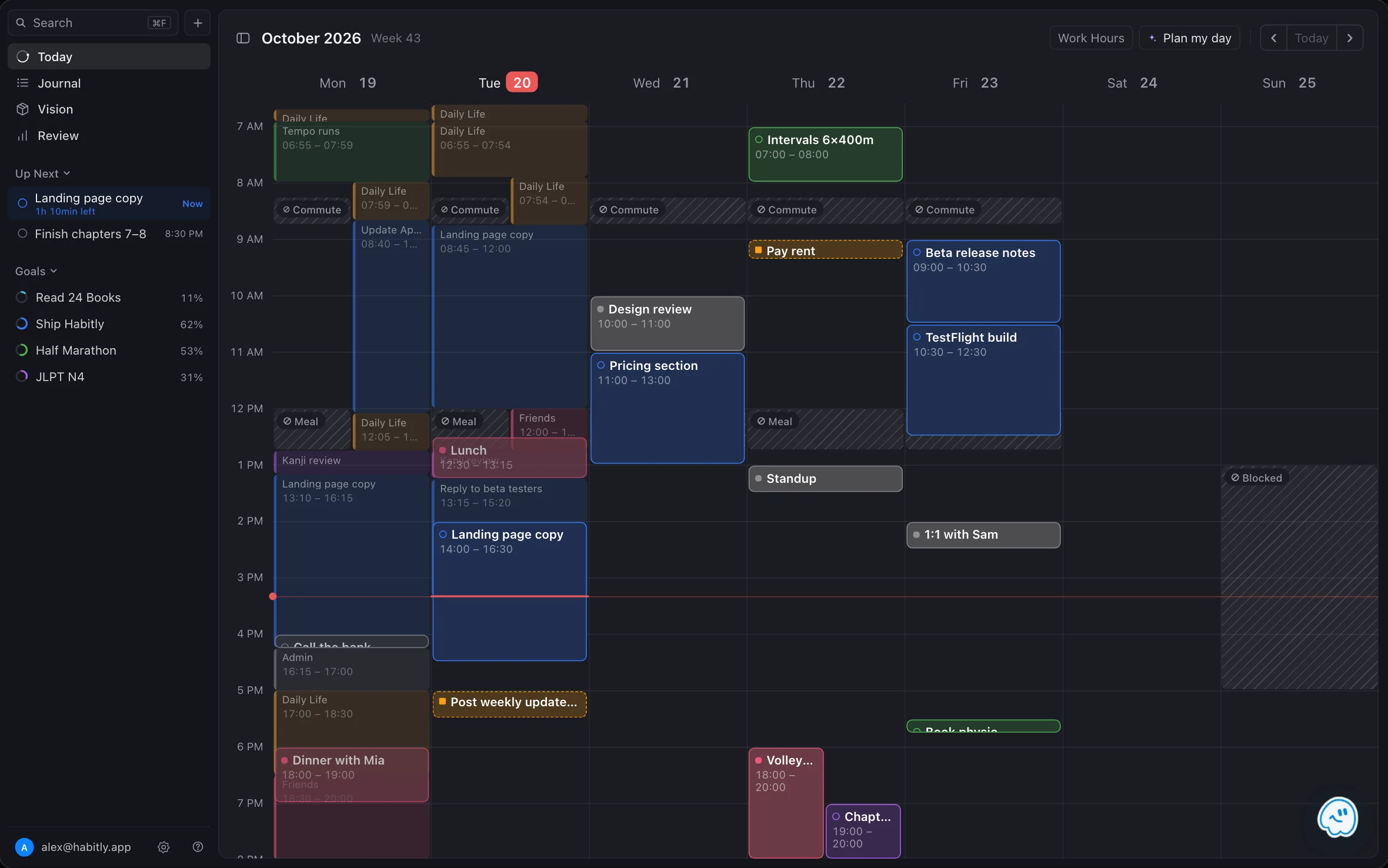
Create a block
- In Today, drag across an empty stretch of the calendar.
- Choose Block.
- Optionally pick a title. Meal, Short Break and Commute are one tap away. An untitled block reads Blocked.
The block appears as a striped band. Plan my day and auto-scheduling keep that time free.
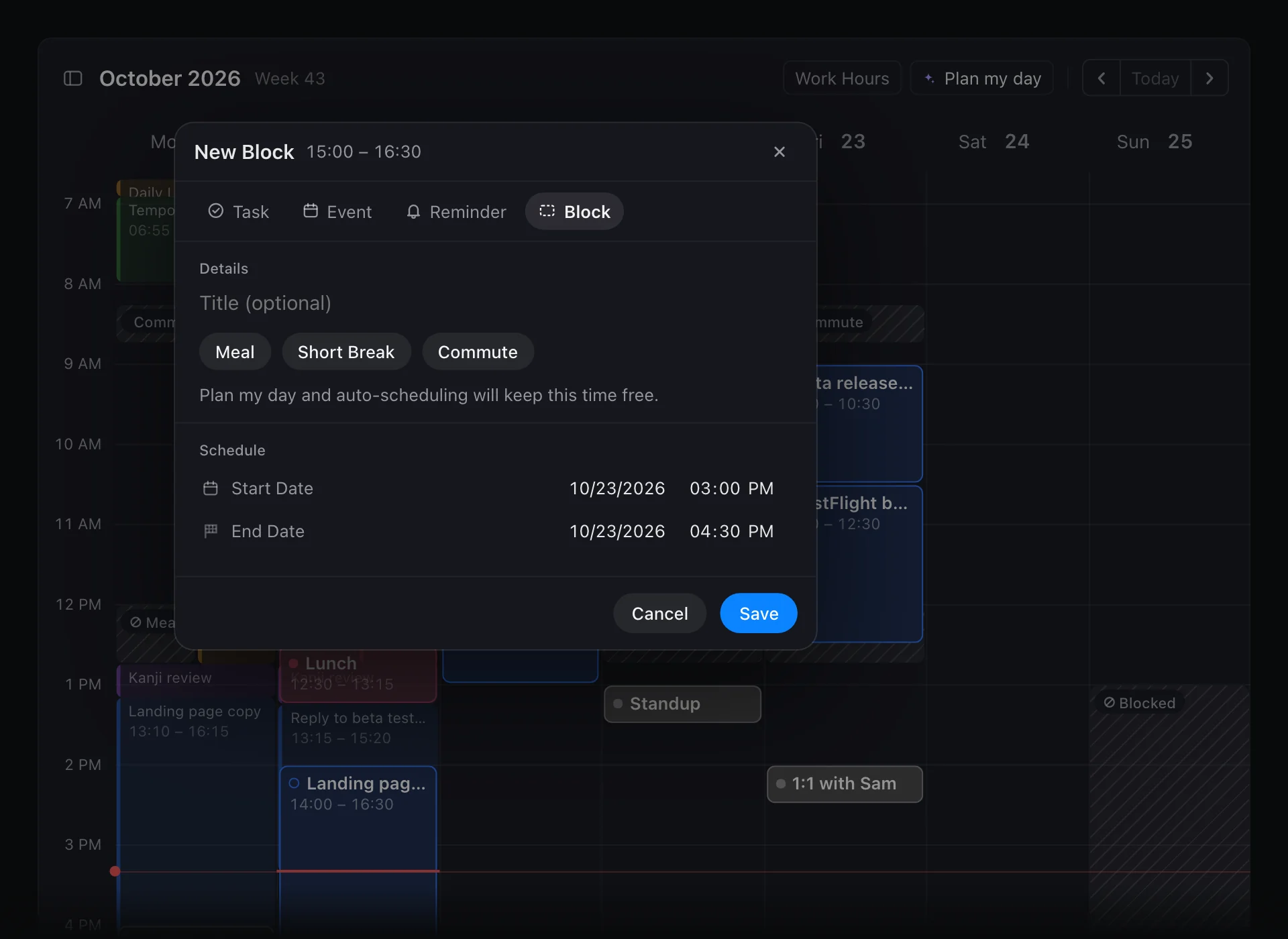
Move, resize or edit a block
A block behaves like an event:
- Move it: select it and drag it to another time or day.
- Resize it: pull its top or bottom edge.
- Edit it: double-click it on Mac, or open it on iPhone and iPad, to change the title or time.
Set your work hours
Work Hours are the ranges you work each day. Plan my day only places tasks inside them, so your evenings stay free.
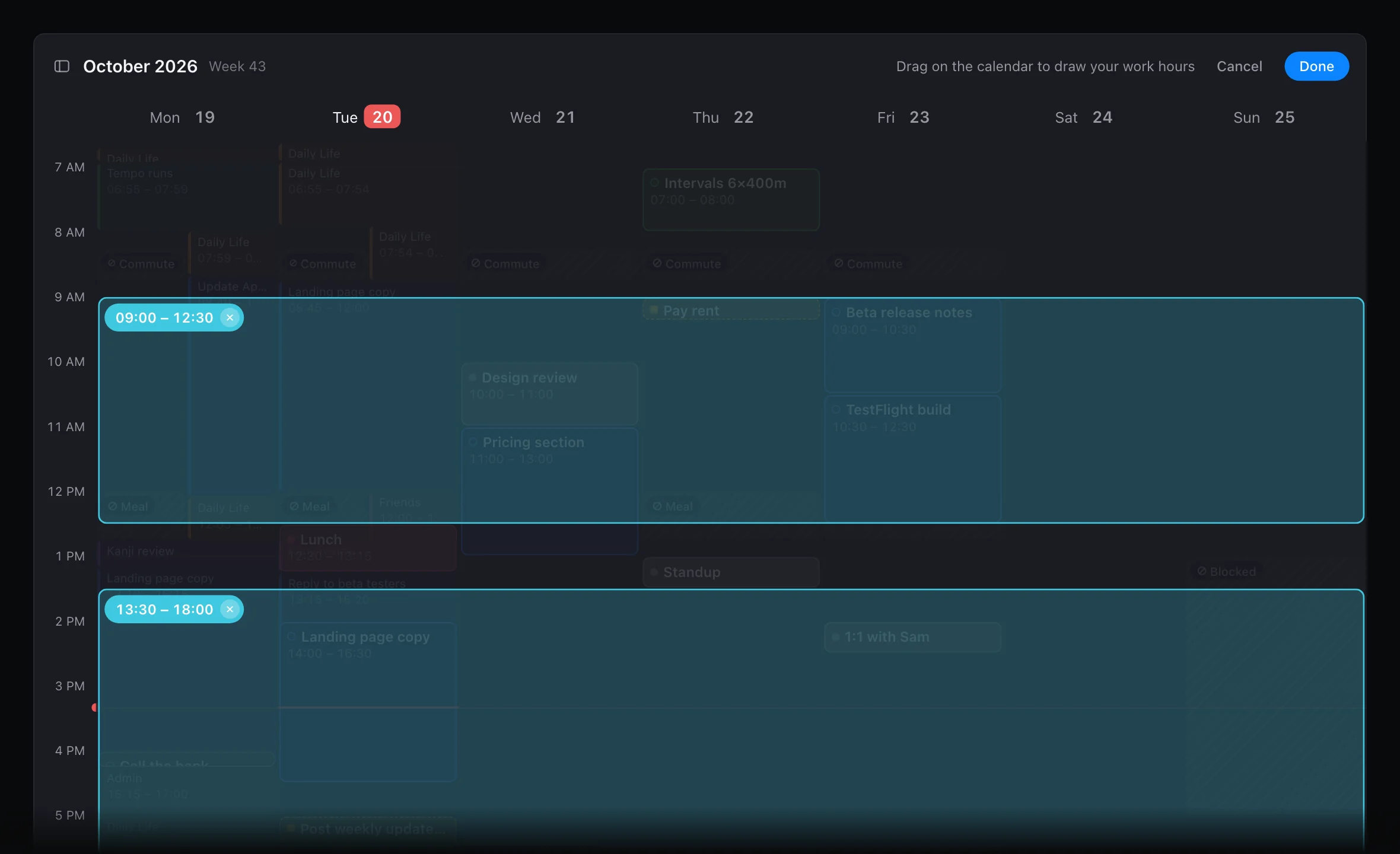
- In Today, tap Work Hours at the top of the calendar.
- Draw each range on the calendar. On Mac, drag. On iPhone and iPad, press and hold, then drag. Leave a gap for lunch if you like.
- Pull a range's handles to change it, or tap its × to remove it.
- Tap Done to save. Nothing changes until you do.
Work hours repeat every day. You can also turn them on or off and edit the periods in Settings → Integrations → Work Hours.
Blocks and Work Hours, compared
| Time block | Work Hours | |
|---|---|---|
| What it marks | Time that is taken | The window you work in |
| Repeats | No, it is a single item | Every day |
| Effect on Plan my day | Nothing is planned on top of it | Tasks are planned only inside it |
Tips
- Protect your best hours. With Flux Pro, the Energy Curve in Review names the 90 minutes your energy usually runs highest. Block them for deep work.
- Block before you plan. Put meals, commutes and breaks on first, then run Plan my day, so tasks land where you can really do them.
Learn more
- Time blocking: what time blocking is and why it works.
- How to track your energy levels throughout the day: find the hours worth protecting.
Last updated