 FluxTime
Mac
Use FluxTime on Mac with tabs and split view, log from any app with Quick Log, and get around with keyboard shortcuts.
FluxTime on Mac has everything the iPhone and iPad apps have, plus a few things made for a desk: tabs and split view, a Quick Log bar that works from any app, and keyboard shortcuts for almost everything.
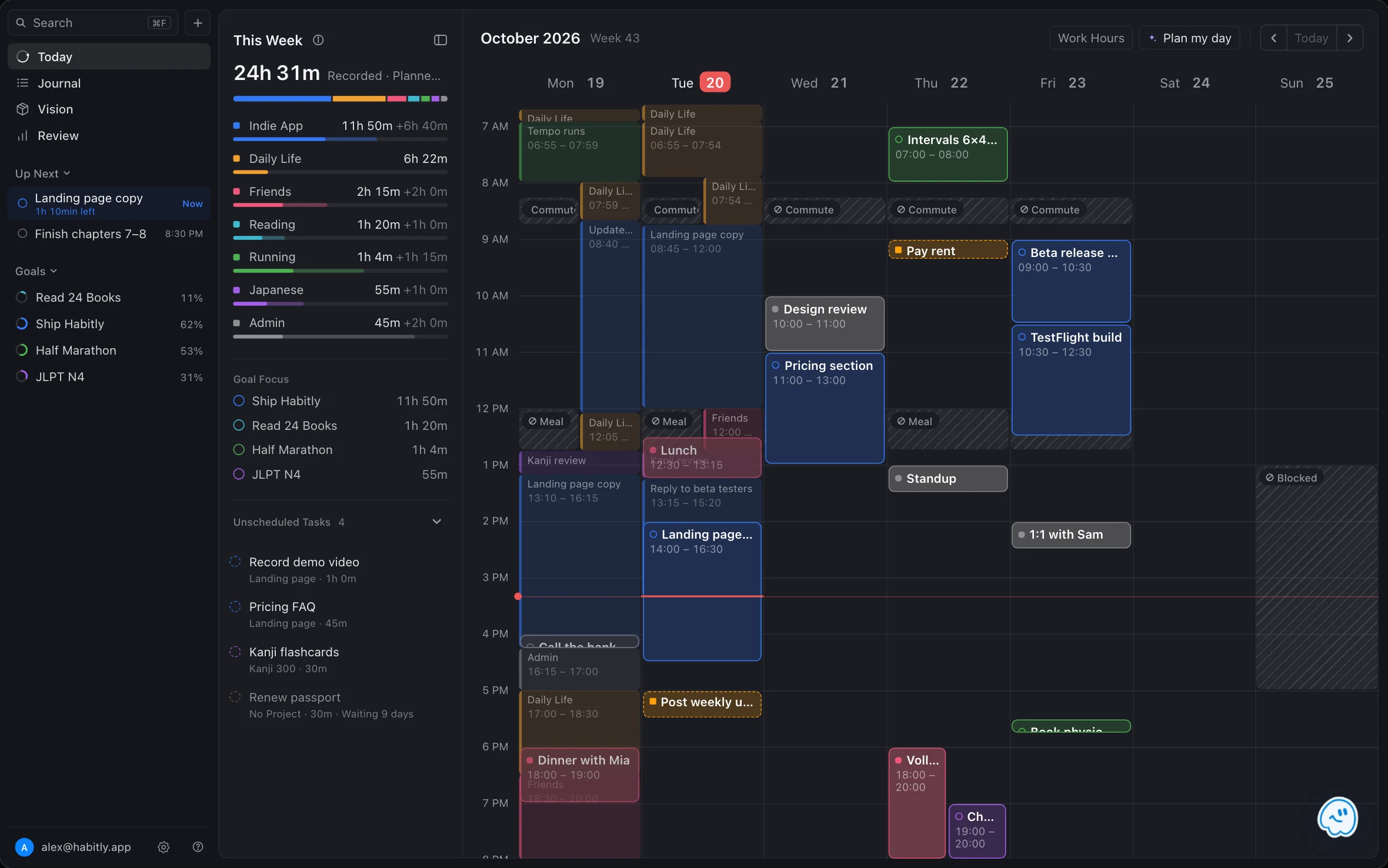
Tabs and split view
Open pages as tabs, the same way you would in a browser.
- New tab: ⌘ T
- Close tab: ⌘ W
- Switch tabs: ⌘ 1 to ⌘ 9
To see two pages at once, drag a tab to the side of the window. The window splits, so today's plan can sit next to your journal. Tabs and split view also work on iPad.
Log from any app
The Quick Log shortcut opens a small log bar over whatever app is in front. Type what you are starting and press Return. The entry lands in today's journal, the previous entry ends, and the bar closes. Nothing else opens.
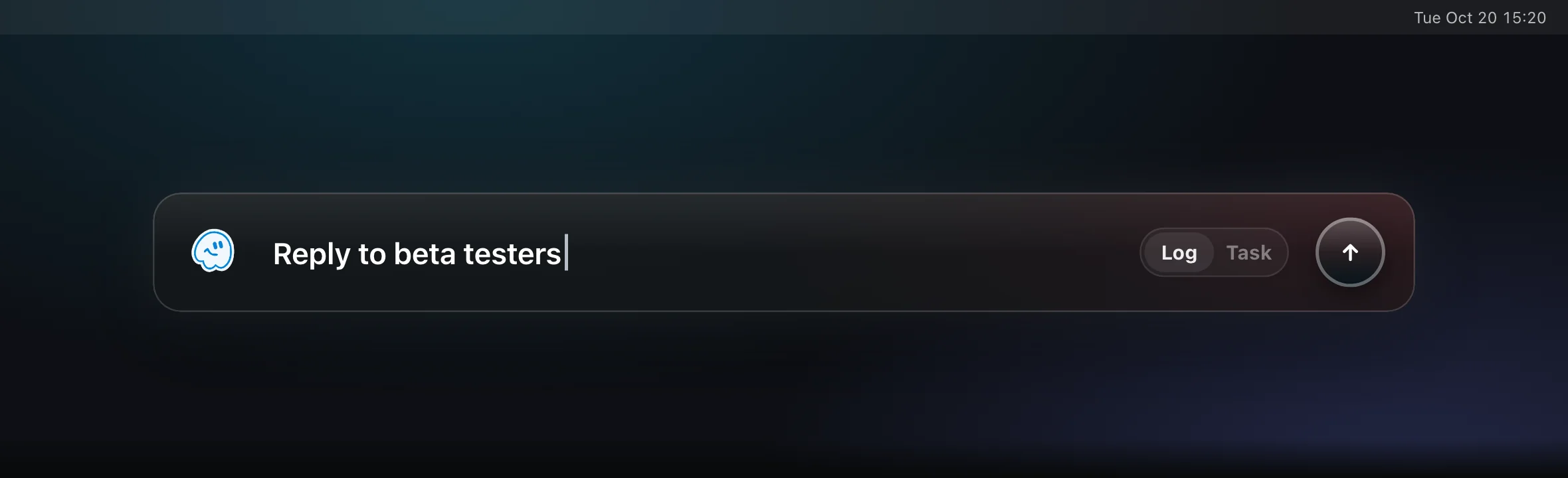
Turn it on: open Settings → Integrations → Quick Log Shortcut and turn on Enable Global Shortcut. The default shortcut is ⌥ ⌘ L. You can choose a different key and any mix of ⌘, ⌥, ⌃ and ⇧.
Capture a todo instead: press Tab in the log bar to switch it to Task. Give the task a name, an estimate like 30m or 1h, and a project.
Type times in the journal
On Mac you type an entry's time instead of picking it from a wheel. FluxTime reads 1845, 9:30 or 6:45pm. See Fix an entry's time.
Keyboard shortcuts
| Shortcut | Action |
|---|---|
| ⌘ K | Open or close Flux AI |
| ⌘ F | Search goals, projects and tasks |
| ⌘ N | Create a goal, project or task |
| ⌘ T | New tab |
| ⌘ W | Close tab |
| ⌘ 1–9 | Switch to a tab |
| ⌘ ← / ⌘ → | Previous or next day |
| ⌃ ⌘ S | Show or hide the sidebar |
| ⌘ , | Settings |
| ⌥ ⌘ L | Quick Log, from any app (once turned on) |
On the calendar
- Create: drag across an empty stretch of Today's calendar, then choose Task, Event, Reminder or Block.
- Edit: double-click an item.
- Work hours: tap Work Hours and drag on the calendar to draw them. See Time blocks.
Widgets
Add FluxTime widgets to your desktop for Goal Progress and a Journal heatmap. With Flux Pro, Energy Curve and Goal Activity widgets are available too.
Learn more
Last updated