 FluxTime
Goals
Create a goal in Vision, give it dates and an hour estimate, and see how far along it should be by now.
A goal is a result you want to reach within a set time, like Run a half marathon in May or Ship the iPad app by March. In FluxTime, a goal's progress is the time you have spent on it, measured against the time you expect it to take.
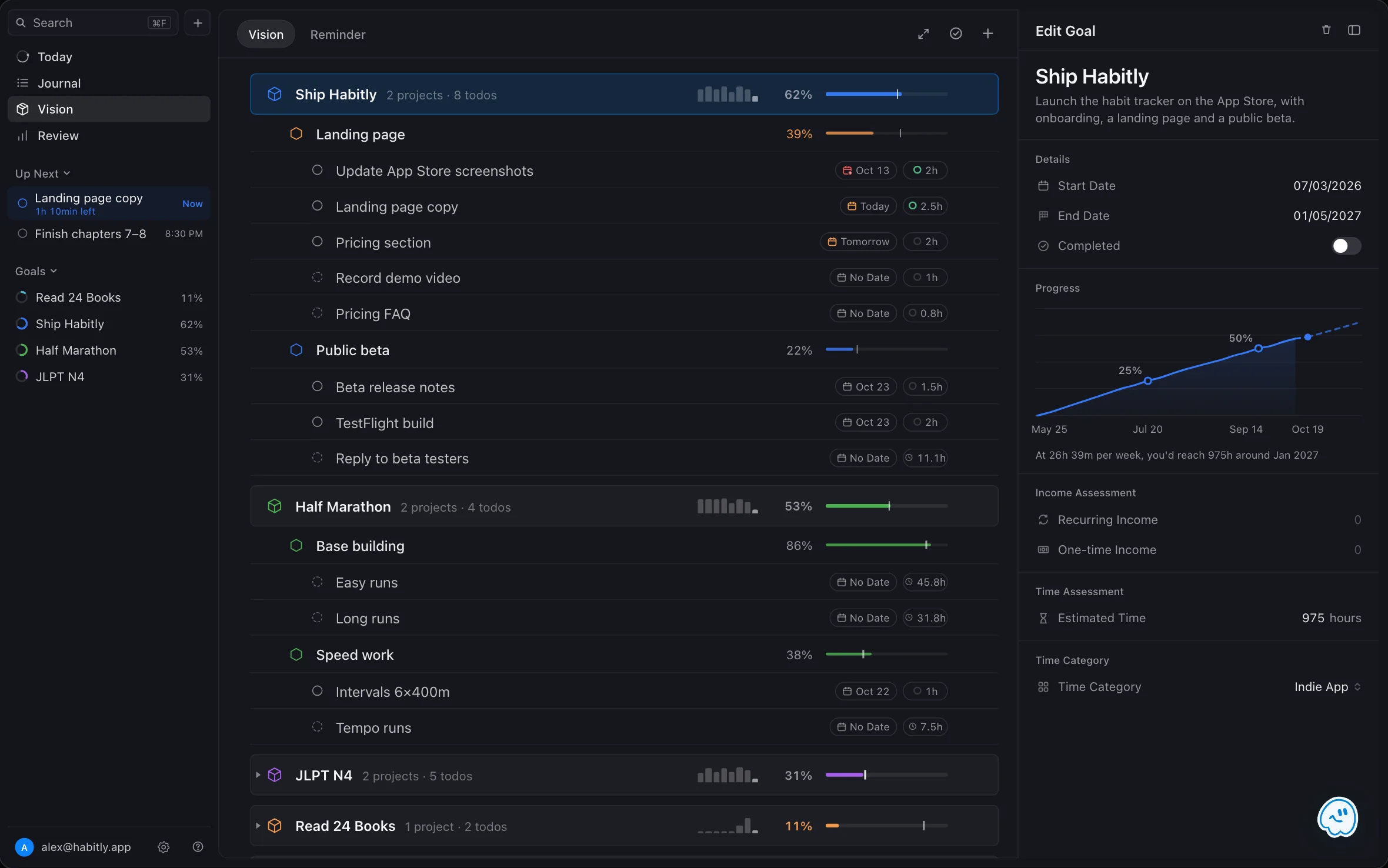
Create a goal
- Open Vision.
- Add a goal. On Mac you can also press ⌘ N from anywhere and choose a goal.
- Fill in the details below, then save.
| Field | What it does |
|---|---|
| Title | The result you want, in a few words. |
| Start Date and End Date | The window you plan to reach it in. FluxTime uses these to work out expected progress. |
| Time Category | Journal entries filed under this category count toward the goal. See Categories. |
| Estimated Time | How many hours you expect the goal to take. Leave it empty and FluxTime adds up the estimates of its projects and todos instead. |
Once the goal exists, add projects and todos under it.
How progress is measured
Progress is the hours you have logged toward a goal divided by its estimate. A journal entry counts when it is:
- linked to one of the goal's todos, or
- filed under the goal's time category.
Checking off todos does not move the bar by itself. Time spent does. That way a goal that is "4 of 10 tasks done" but has had little real work does not look further along than it is.
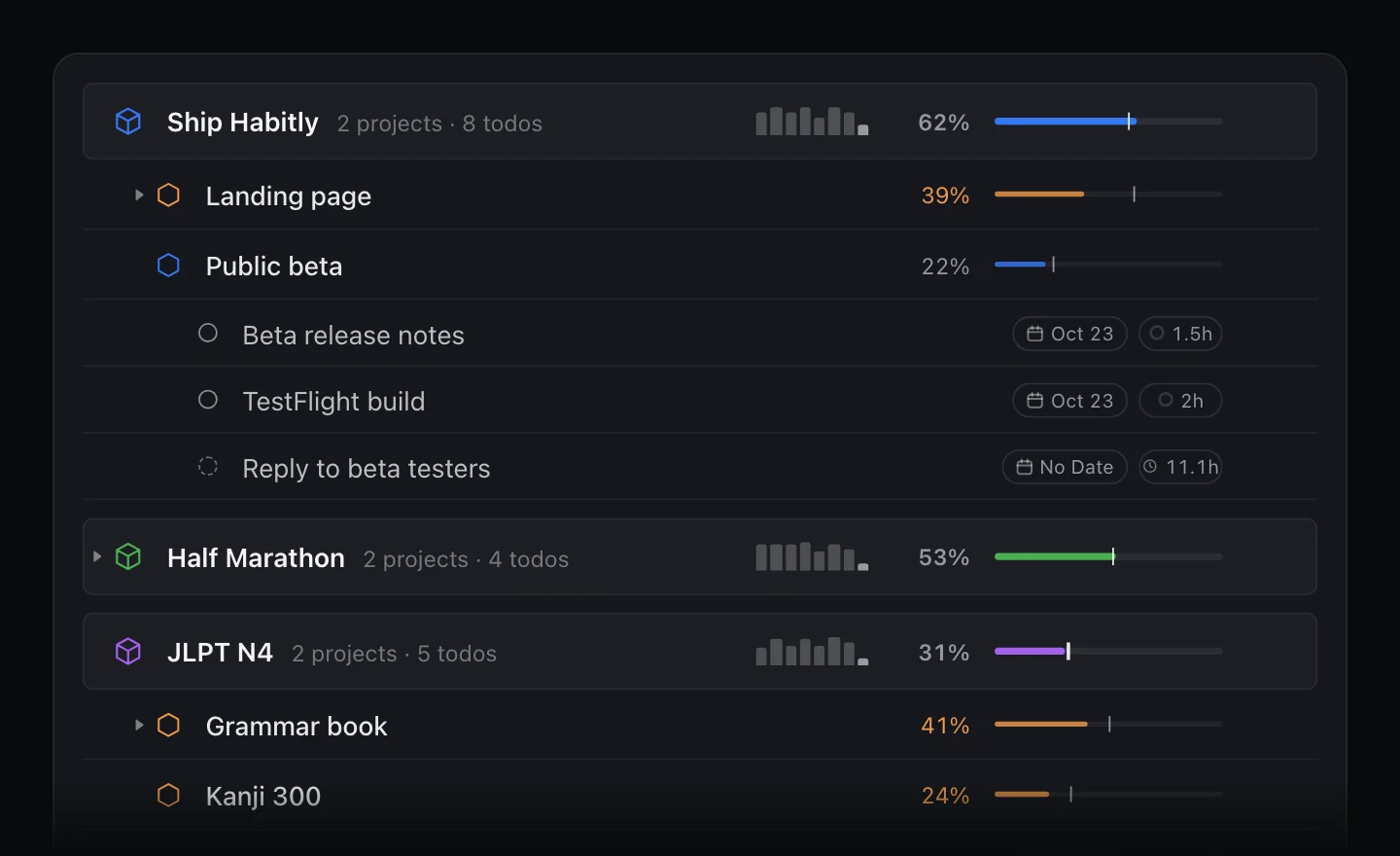
Expected progress
Expected progress is the share of a goal's date range that has already passed. Halfway between the start and end dates, expected progress is 50%. It shows as a marker on the progress bar.
- When your logged progress trails the marker by more than five points, the percentage and bar turn orange.
- When the goal reaches its estimate, they turn green.
Beside each bar, a small chart shows your hours per week on that goal over recent weeks.
See a goal's forecast
On iPad and Mac, open a goal to see its cumulative hours, the milestones it has passed, and when you would reach the estimate at your pace over the last four weeks.
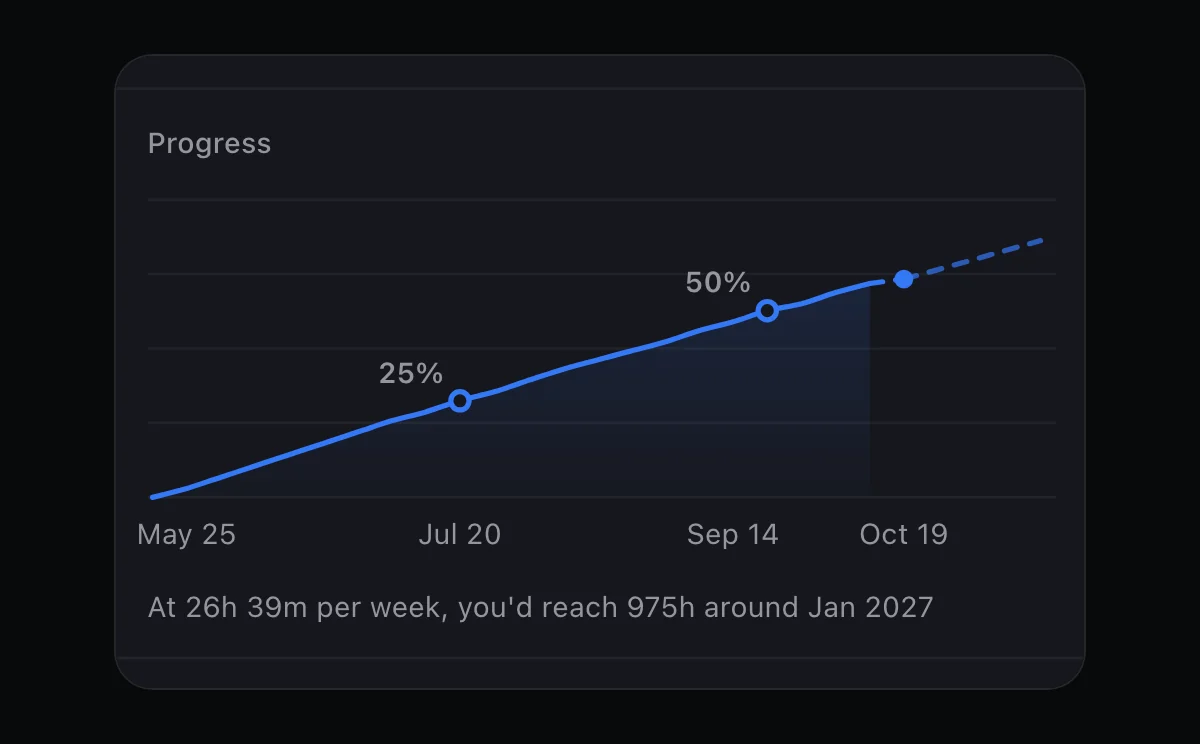
Review compares every goal's pace side by side. See Goal forecasts.
Change a goal's time category
When you move a goal to a different time category, FluxTime checks for journal entries on the goal's tasks that are filed under the old category, and asks whether to move them to the new one or keep them where they are. Goal progress counts those entries either way.
Tips
- Keep the estimate honest. A rough guess is fine. You can change it later, and the forecast will update.
- Give every goal an end date. Without one, FluxTime cannot tell you whether you are behind.
- Not sure how to break a goal down? Describe it to Flux AI, and it drafts the goal, its projects and the first todos for you to review.
Learn more
- Goal planner: why FluxTime measures goals in hours.
- How to plan yearly goals: set goals you will still be working on in March.
Last updated