 FluxTime
Flux AI
Ask Flux AI to rearrange your day, turn an idea into a goal, or chart your time. It reads your data first and returns drafts you approve.
Flux AI is the assistant inside FluxTime. Before it answers, it looks up your goals, tasks, schedule and journal, so its suggestions fit your real week. When it wants to change something, it returns a draft. Nothing is saved until you approve it.
Open Flux AI
- Any device: tap the Flux AI button.
- With a keyboard: press ⌘ K.
Start from a suggestion, like Plan my day, Break down a goal or Review my week, or type what you need in plain language.
What it reads
Flux AI looks up only what your question needs: your goals and projects, today's tasks and schedule, or what your journal says you actually did. Each reply lists what it read, so you can tell where an answer came from.
Drafts you approve
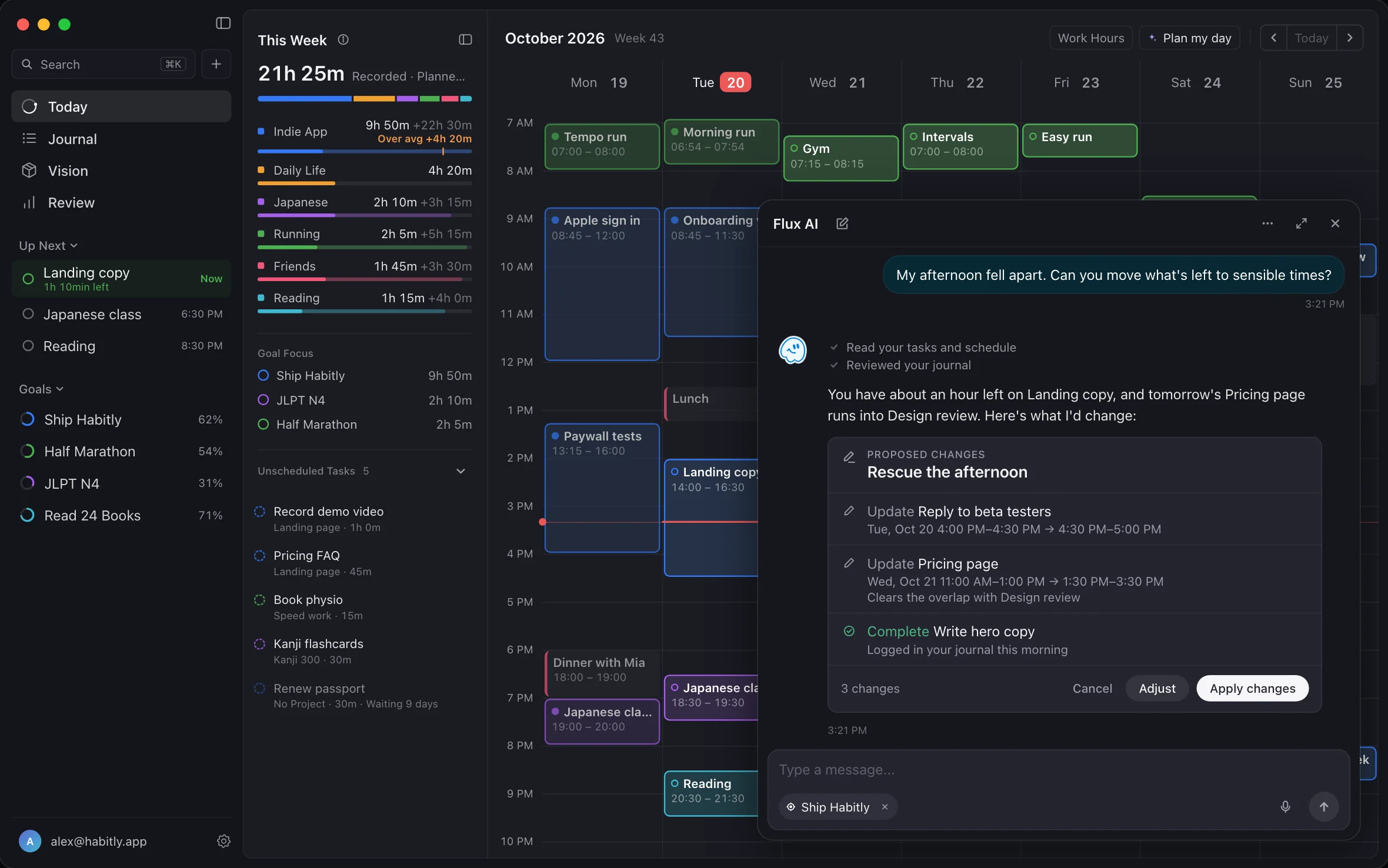
When Flux AI proposes a change, it shows a Flux Draft card instead of making the change:
- Changes to your plan. New times, completed tasks, renames and new estimates show as before → after, with the reason. Tap Apply changes, Adjust or Cancel.
- New items. A goal, its projects and first todos, with suggested times and estimates. Read them over, edit anything, then tap Save all.
Things to ask
| You want to | Try asking |
|---|---|
| Rescue a day that fell apart | My 2pm meeting ran an hour over. Move what no longer fits. |
| Start a goal | I want to cook 20 new dishes before spring. |
| Summarize your work | What did I get done this week? |
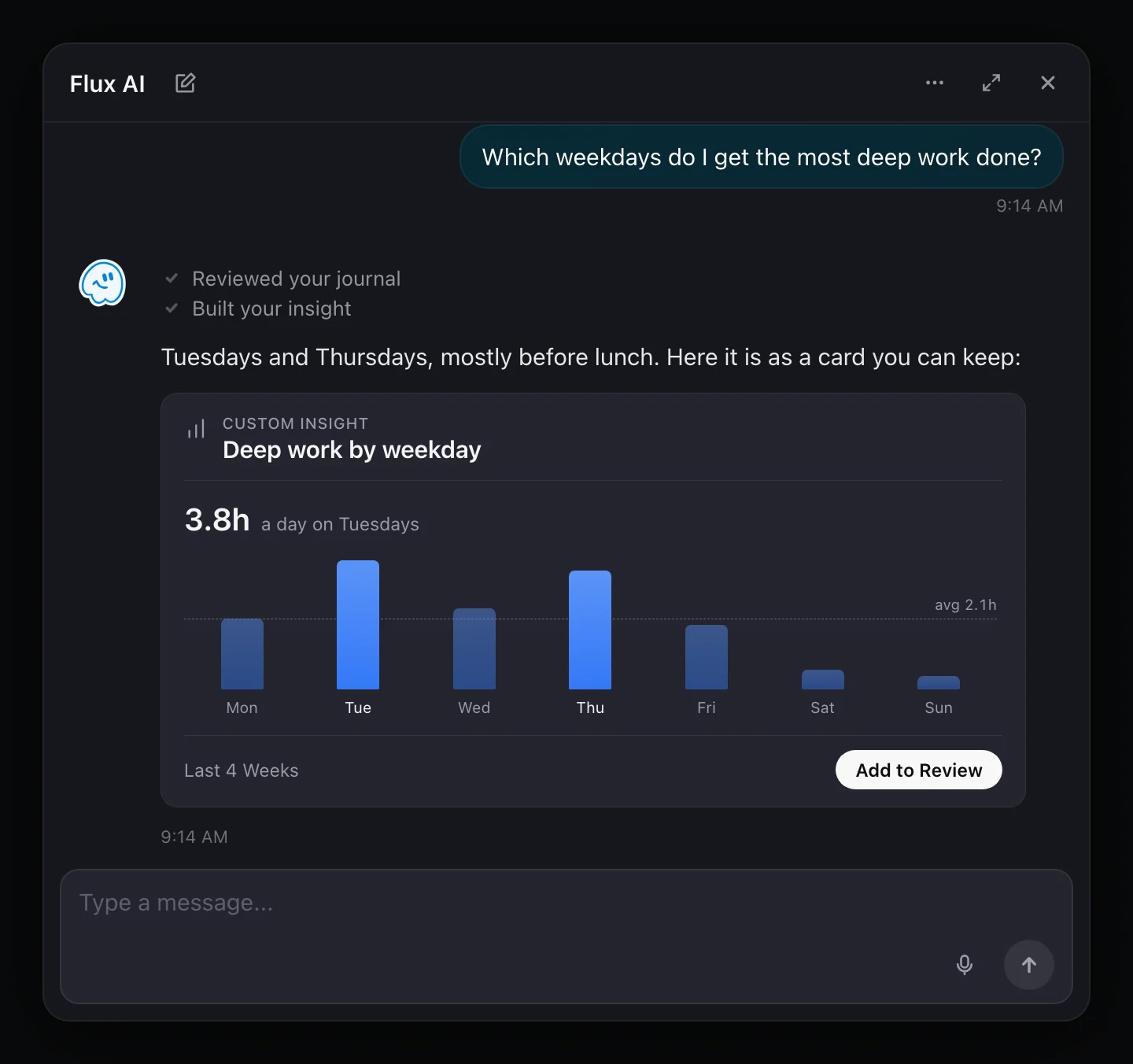
| Understand your time | Which weekdays am I most focused? |
| Tidy up | Mark the pricing page done and rename the next task to "Pricing FAQ". |
Focus on one goal
Type @ and pick a goal or project. The conversation stays focused on it until you remove it from the context.
Keep a chart in Review
Questions about your time come back as a chart built from your journal. Tap Add to Review to keep it under Review → Insights. Saved insights are worked out again each time you open them, so they keep up as you log more. You can move, resize, edit or delete them there.
Chat history
Open Chat History to find and continue an earlier conversation, or start a New Chat.
Limits
The free plan includes 10 Flux AI messages a day. Flux Pro makes Flux AI unlimited. See Free and Pro.
Your data
Nothing is sent until you allow AI data sharing, and you can withdraw that permission in AI Settings. A request includes your message and the goals, tasks or planning data relevant to it. It goes to OpenAI, or to DeepSeek for requests identified as coming from mainland China. FluxTime does not use your prompts to train a FluxTime-owned model. Details are in the Privacy Policy.
Use FluxTime in Claude
If you use Claude, Flux Pro also lets you connect FluxTime to it. Claude can read your goals, tasks, schedule and journal to answer questions, but it can't change anything; Flux AI is the one that drafts changes for you to approve. See Claude and MCP.
Flux AI or Plan my day?
Plan my day follows fixed rules to place all your open tasks in one go. Flux AI is a conversation: use it for a specific change, a new goal or a question about your time.
Learn more
- AI planner: what Flux AI is for and how it plans.
- Claude and MCP: ask Claude about your FluxTime data.
Last updated