
Start with your priorities
Goals and task relationships help clarify which work carries the most meaning.
Flux AI, with the context that matters
Flux AI helps organize the day around your goals, tasks, schedule, available time and energy—then leaves the final call with you.
Planning guidance · Task breakdowns · Review insights

A more grounded AI planner
Goals and task relationships help clarify which work carries the most meaning.
Calendar commitments and available time keep planning guidance connected to reality.
Flux AI offers a clear next step, while you decide what belongs in the final plan.
From goals to today
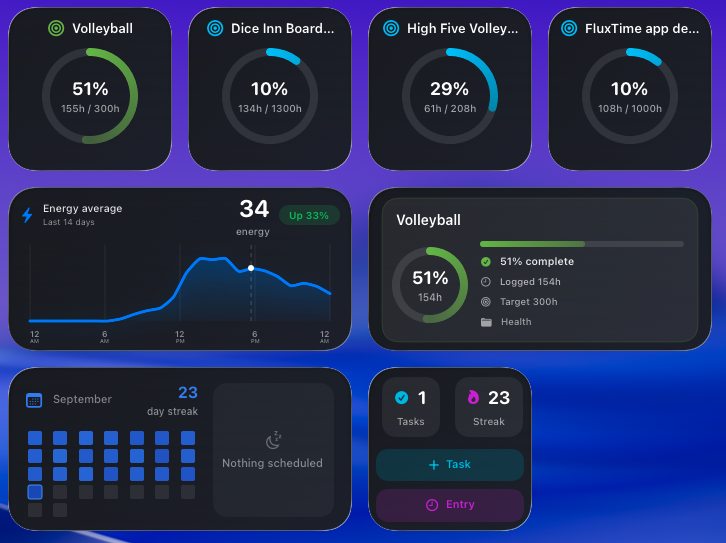
Most task managers treat every item as an isolated checkbox. FluxTime connects tasks to projects and goals, giving Flux AI a better basis for planning guidance and task breakdowns.
Feedback from real work
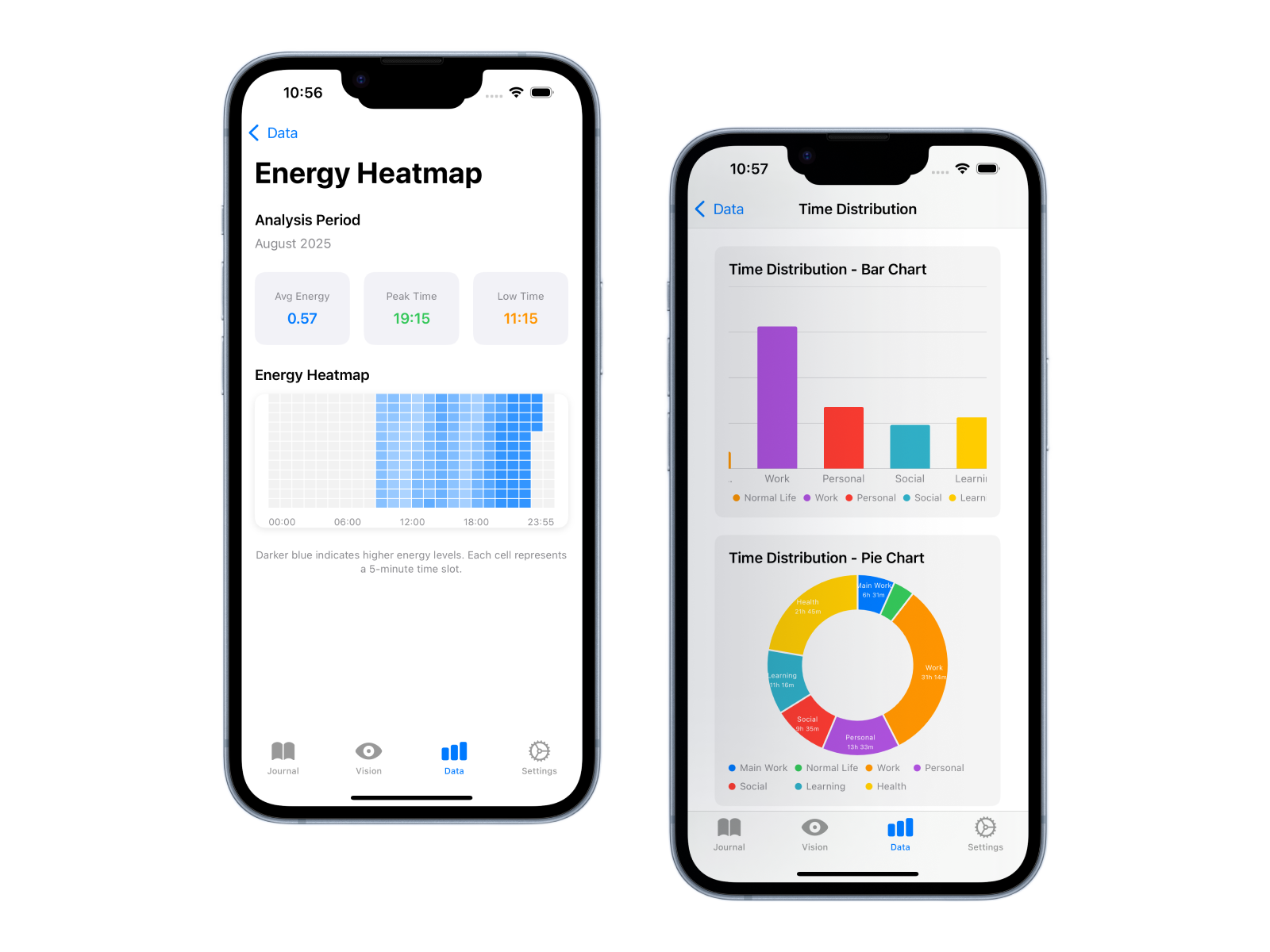
FluxTime does more than generate a schedule and forget it. Reviews connect time investment, goal progress and energy patterns, creating richer context for the planning decisions that follow.
Questions, answered
Flux AI can provide day planning guidance, help break down tasks and support reviews of your time, goals and productivity patterns.
No. Flux AI provides suggestions and context while you remain in control of your tasks and plan. The goal is a clearer decision, not an opaque schedule you cannot change.
FluxTime is available across iPhone, iPad, Mac and Apple Watch. AI planning capabilities are integrated with the FluxTime planning workflow.
Ask less of your working memory
Use Flux AI to plan, break down work and understand the patterns behind your progress.