 FluxTime
Keep a work log without stopping your work.
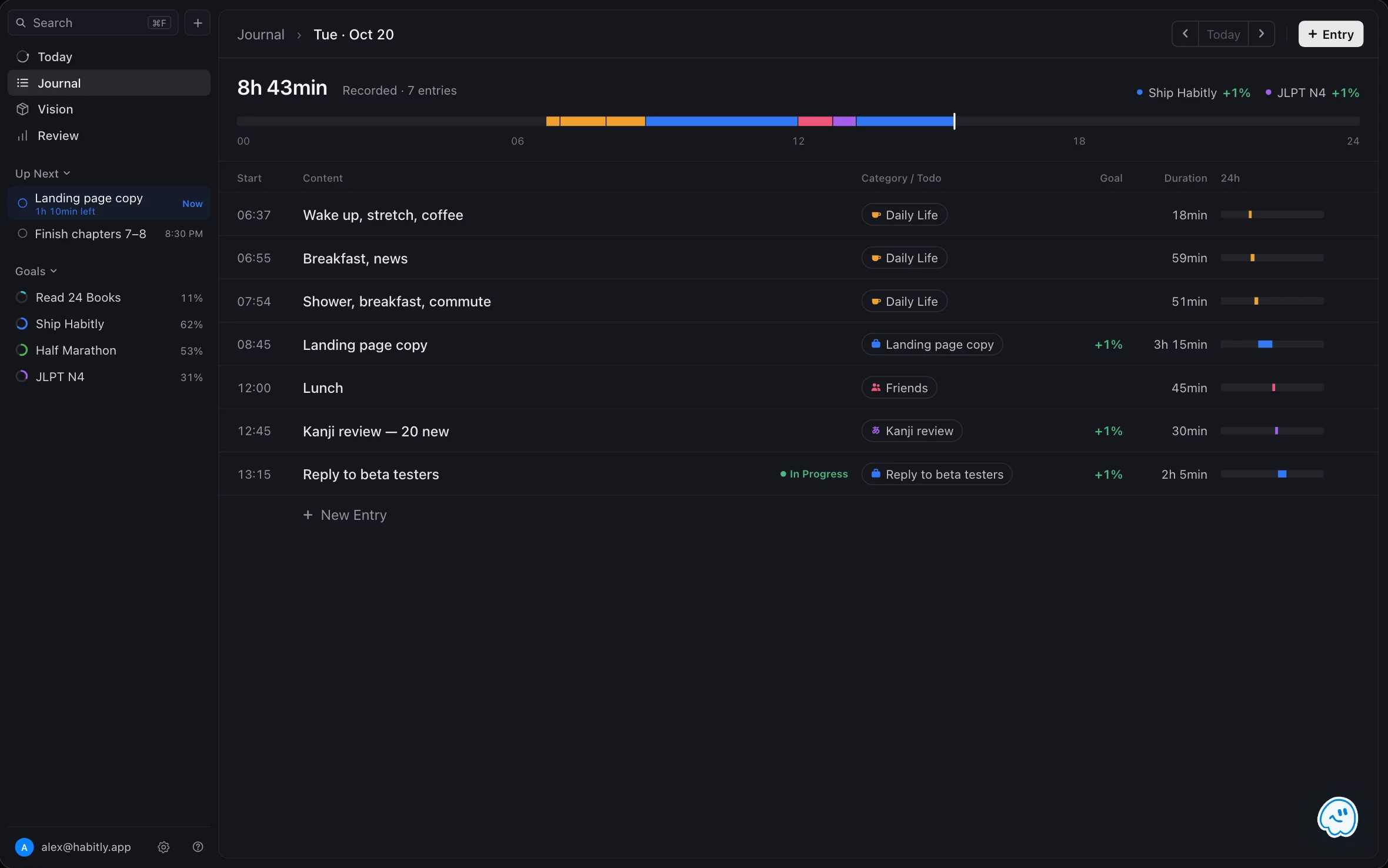
A work log is a dated record of what you worked on. In FluxTime it's your Journal: one line each time you switch tasks, filed under the todo it belongs to. By Friday you can see what got done and how long it took, without piecing the week back together from memory.
Log from any Mac app/Every entry tied to a todo/Ask what you got done
What goes in a work log?
Just enough to answer "what did I do, and how long did it take?" later: the time you started, a line about the work, and the task it was for. Write it when you switch, not at the end of the day, and it stays accurate without taking real time.
Log from any app
A shortcut on Mac opens a log bar over whatever you're working in.
02 / LINKAttach the todo
File each entry under the task it moved, and its goal gets the time.
03 / FINISHClose the loop
File an entry under a todo and FluxTime asks if it's done.
04 / RECALLAsk what you did
Flux AI reads your journal and sums up the day or the week.
Log without leaving the app you're in.
Turn on the Quick Log shortcut in FluxTime's settings on Mac. Press it from your editor, your inbox or a call, type what you're starting and press Return: the entry lands in today's journal and the previous one ends. Nothing else opens.
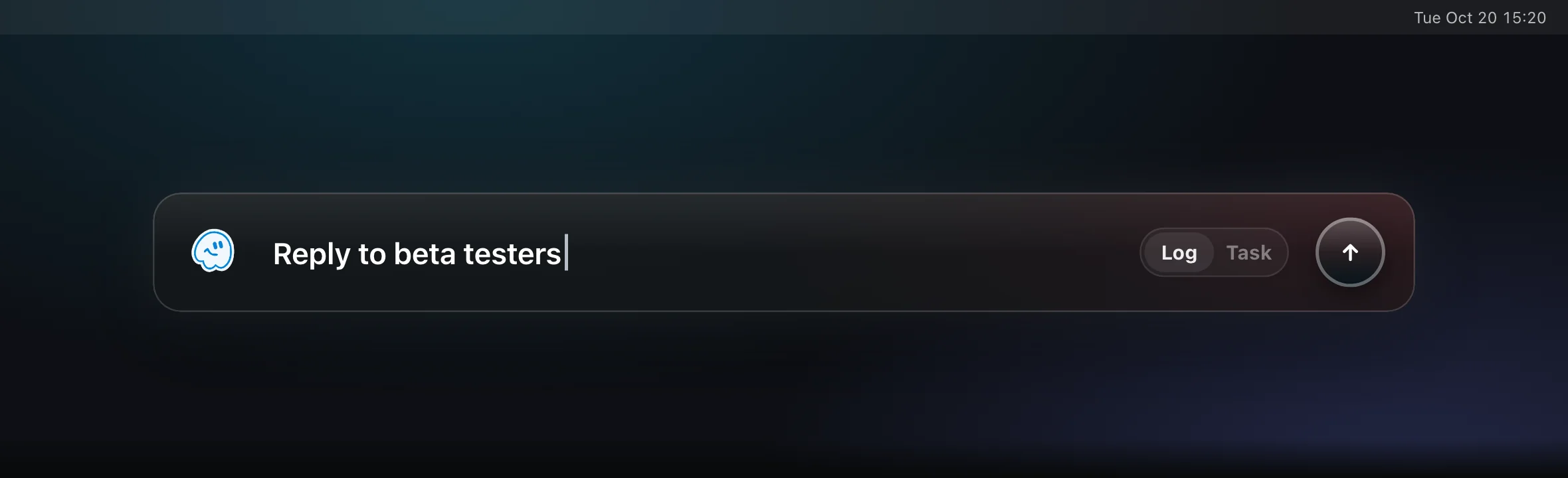
One line, then back to work
Return logs the entry with the current time. The bar closes and you're where you were.
Capture a todo instead
Tab switches the bar to Task: give it a name, an estimate like 30m or 1h, and a project.
Away from the desk
On Apple Watch, tap a template to log it, or dictate a one-off entry.
Tie each entry to the todo it moved.
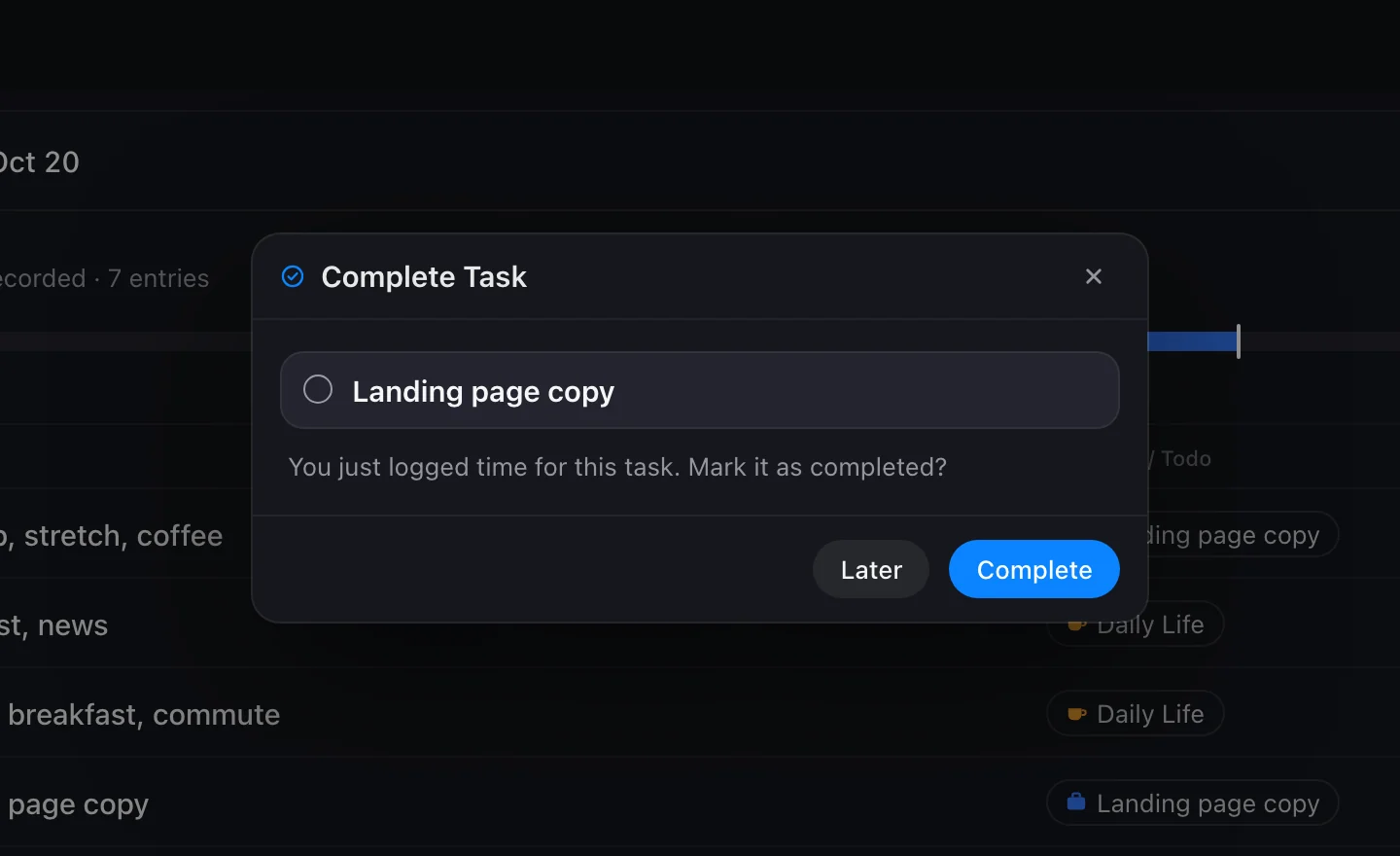
Open an entry's category and switch to Tasks to pick the todo you were working on. The time counts toward that todo's goal, and the day's total for each goal shows at the top of the journal. When you file an entry under an open todo, FluxTime asks whether it's finished, so your list and your log agree.
- 01Pick from your open todos, or recent tasks in a workflow
- 02Each entry shows how much it moved the goal, like +4%
- 03Mark a todo complete right from the prompt, or later
Ask what you got done.
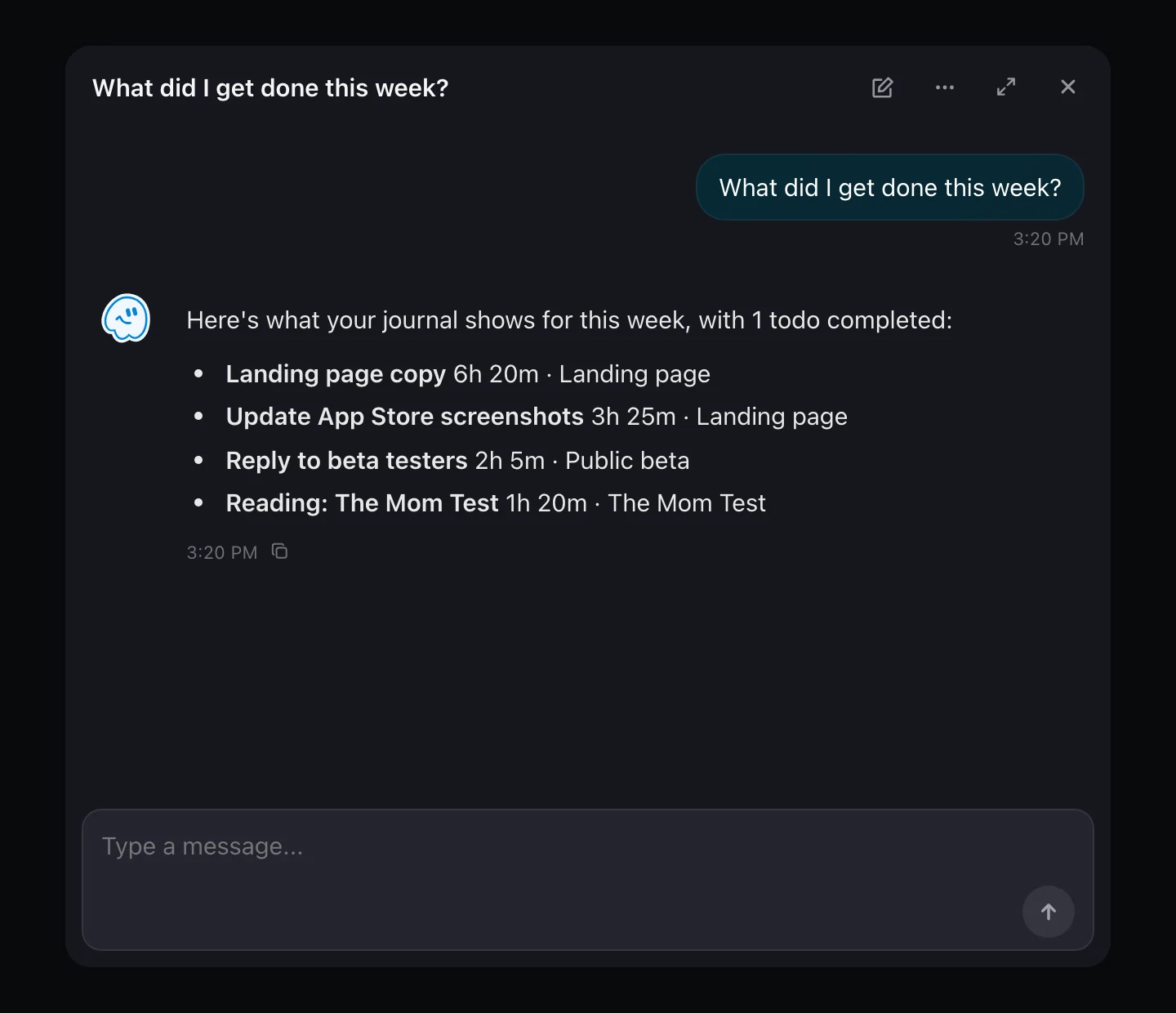
Before a standup or a weekly review, ask Flux AI. It reads your journal for the days you ask about and answers from what you actually logged, and each reply shows what it read. Copy the answer into your update and adjust as you like.
- 01"What did I get done this week?"
- 02"How much time went to Onboarding v3?"
- 0310 free messages a day; unlimited with Flux Pro
Take your log to a spreadsheet.
Export Time Entries in Settings saves your whole journal as a CSV, one row per entry. Use it to fill in a timesheet, total hours per project or keep your own archive. Complete Data exports everything as JSON.
One row per entry
Date, start and end time, and the duration in minutes and in hours.
With its context
Your note, the category and the linked task's title come along.
Only your data
Exports leave out sign-in state and internal sync details.
Keeping a work log with FluxTime
What is a work log?
A work log is a dated record of what you worked on and for how long. It helps with standups, weekly reviews and performance reviews, because you can read back what happened instead of reconstructing it from memory.
Is FluxTime a timesheet app?
Not exactly. FluxTime is a personal work log: it records what you did, for how long and which todo and goal it moved. It has no hourly rates, invoices or approvals, but you can export your entries to CSV and build a timesheet from them.
Can I log work without switching apps?
On Mac, yes. Turn on the Quick Log shortcut and a log bar opens over whatever app you are in. Type what you are starting and press Return. On Apple Watch you can log from a template with one tap.
Can I share my work log with a team?
No. FluxTime is built for one person's own record; there are no shared logs or team accounts. To share, export your time entries to CSV or copy a summary from Flux AI.
Is the work log free?
Yes. Logging, linking entries to todos, the Mac log bar and CSV export are part of the free app, and Flux AI includes 10 free messages a day. Unlimited Flux AI and cloud sync between your devices are included in Flux Pro.
It all happens in Journal.
Your work log and your time log are the same Journal. Read it as a record of what got done, or as a map of where the hours went.
Never wonder what you did all week.
Keep your work log on your Mac, iPhone and Apple Watch, one line at a time.
Get FluxTime free