 FluxTime
Plan my dayPro
Let FluxTime fit your open tasks into free time over the next seven days, then review every move before you apply it.
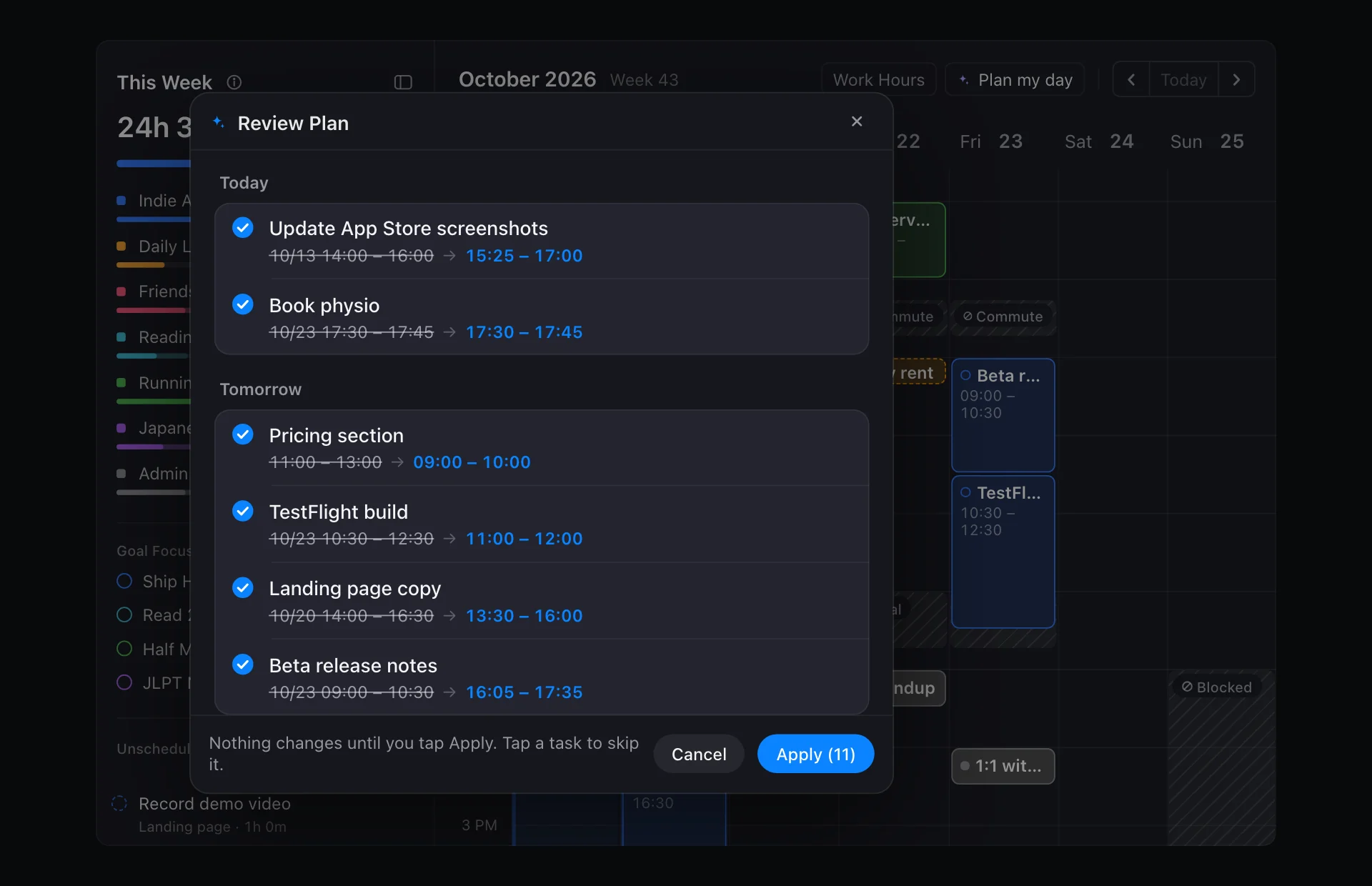
Plan my day looks at the next seven days, ranks your open tasks, and fits them into the free time around your events, reminders, time blocks and work hours. You see every proposed move first. Nothing changes until you tap Apply.
Flux Pro. Plan my day is part of Flux Pro. On the free plan you can still drag tasks onto the timeline yourself. See Free and Pro.
Run Plan my day
- Open Today.
- Tap Plan my day. On Mac and iPad it sits at the top of the calendar, next to Work Hours.
- Read the review. Each task shows its current time and the time Plan my day suggests.
- Uncheck any task you want to leave where it is.
- Tap Apply. Only the checked tasks move.
What it plans
Plan my day considers your open tasks: todos that are not done and are not events. A task you missed yesterday gets a new time instead of quietly piling up, and a delayed task is only placed on or after its Delay Until date.
It does not move events. Their times are fixed, so they are the frame the tasks are planned around.
What it plans around
| It keeps free | Set it in |
|---|---|
| Events, including Apple Calendar events | Today, or Settings → Integrations → Calendar Integration |
| Reminders with a time range | Vision → Reminder |
| Time blocks | Today |
| Time outside your work hours | Today → Work Hours |
Set your work hours before your first run. Without them, there are no edges to the working day.
How tasks are ranked
When there is more to do than time to do it, Plan my day schedules the most important tasks first. It ranks them by urgency, impact and the goals they serve.
You can change how much each factor counts in Settings → Productivity → Task Priority Weights. The weights cover Urgent, Cost, Effort, Value and Impact. Higher values give that factor more influence; Normalize scales them so they add up to 1.
When tasks don't fit
If there is not enough free time in the next seven days, the tasks that don't fit keep their current time and are listed under Couldn't fit. That is your cue to cut, delay or move something by hand.
Plan my day or Flux AI?
Both can rearrange your day, but they work differently:
- Plan my day follows a fixed set of rules and plans the whole week of open tasks in one go.
- Flux AI is a conversation. Ask it to move a few things after a meeting runs long, or to explain why the day is too full. It also returns a draft for you to approve.
Learn more
- Daily planner: how Plan my day fits into planning the day.
- AI planner: when to ask Flux AI instead.
Last updated