 FluxTime
Goal forecasts
See how many hours each goal has left, your recent weekly pace, and when you will finish at that pace.
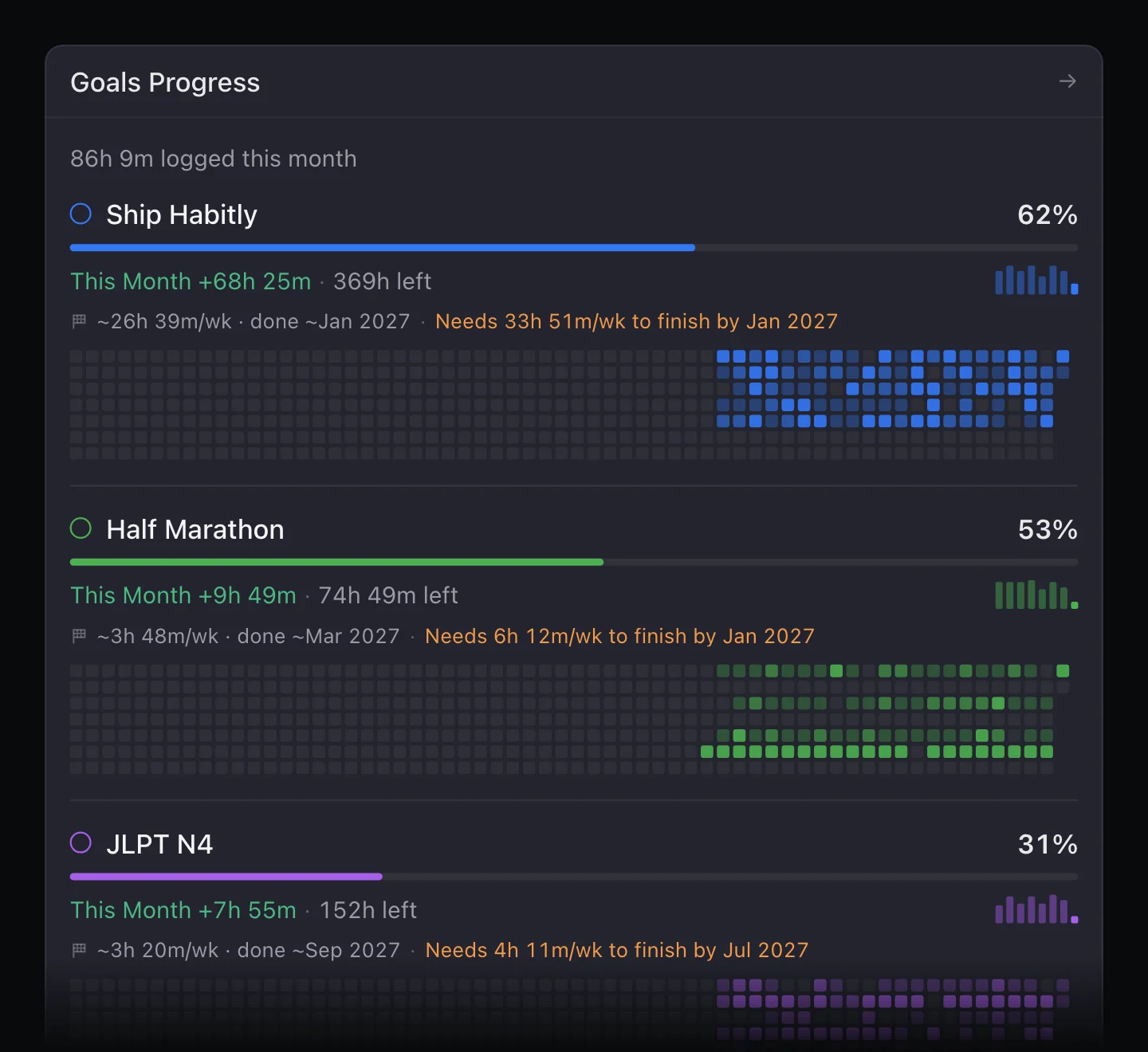
Goals progress in Review shows every goal side by side: how much time it got this month, how much is left, and when it will be done if you keep your current pace. It is the quickest way to spot a goal that is drifting while there is still time to catch up.
Open it
Open Review and find Goals Progress on the Overview. Open it for the full list.
Read a goal's forecast
For each goal, Review shows:
- Logged and left. The hours logged toward the goal and the hours left until its estimate.
- This month. How much time the goal got in the current month.
- Pace and finish date. Your average hours per week over the last four weeks, and the month you will reach the estimate at that pace, like ~13h 30m/wk · done ~Jan 2027.
- What it needs. If the goal has an end date and is falling behind, the weekly hours it needs to finish on time, like Needs 2h 15m/wk to finish by Jul 2027.
Where the numbers come from
A goal's hours come from the journal: entries linked to its todos, plus entries filed under its time category. Its estimate is the one you set in Vision, or the sum of its projects' and todos' estimates if you left it empty. See Goals.
The forecast uses the last four weeks only, so it reacts when your pace changes. A goal with no time logged in that window has no pace yet, and so no finish date.
When a goal is behind
A forecast past the end date means one of three things needs to change:
- More hours. Protect time for it with a time block, or let Plan my day give its tasks a slot.
- A later end date. Edit the goal in Vision if the deadline can move.
- A smaller estimate. Cut scope by removing or shrinking projects.
More with Flux Pro
Flux Pro. Goal Activity adds weekly bars and a streak of active days for each goal, and the Goal Activity widget puts that on your Home Screen or desktop.
See the same forecast on a goal
On iPad and Mac, open a goal in Vision to see its cumulative hours and projected finish date in the goal's details.
Learn more
- Time tracking: goal pace next to the rest of Review.
- Goal planner: how expected progress is worked out.
- How to do a weekly review in 30 minutes: review goals once a week.
Last updated