 FluxTime
January is full of good intentions. By February, most of them have quietly stopped. The goals weren't wrong; they just never turned into time on a calendar, and nobody noticed until it was too late to catch up.
This is a way to plan next year's goals so they survive the first few months. It takes an evening in December. The last section shows how to set it up in FluxTime's goal planner.
1. Pick three to five goals, not twelve
Every goal competes for the same hours. A list of twelve yearly goals is really a list of twelve things that will each get a few minutes a week.
Write down everything you'd like next year, then keep the three to five that matter most. Write each as a result with a date: Pass JLPT N4 in December, Run a half marathon in March, Ship version 2 of the app by summer. The rest can wait for next year, or go on a someday list.
2. Turn each goal into hours
For each goal, make a rough estimate of the total hours it needs. Then divide by the weeks you have:
| Goal | Estimate | Weeks | Per week |
|---|---|---|---|
| Pass JLPT N4 | 150h | 48 | ~3h |
| Half marathon | 90h | 20 | ~4.5h |
| Ship app v2 | 200h | 26 | ~8h |
Add up the last column. If it comes to 15 hours a week and your weeks have room for 8, you've found the problem in December instead of in March. Cut a goal, move a date, or shrink the estimate on purpose.
3. Split the year into projects
A year is too long to plan as one block. Break each goal into projects of a few weeks to a few months, each with its own dates:
- JLPT N4: Grammar book (Jan–Apr), Kanji 300 (Jan–Jun), Mock tests (Sep–Nov).
- Half marathon: Base building (Nov–Jan), Speed work (Jan–Feb), Taper (March).
Projects give you something to finish every few weeks, which is far more motivating than a progress bar that creeps along all year.
4. Give every goal a pace
With a start date, an end date and an hour estimate, you know where you should be on any day. Six months into a twelve-month goal, you should be about halfway through the hours.
Write that down somewhere you'll see it every week. The value isn't the number itself; it's noticing in week 5 that a goal is drifting, while one extra session a week is enough to recover.
5. Plan the week, not the year
Don't try to schedule the whole year in advance. Each week:
- Look at each goal: on pace, ahead or behind?
- Pick the next few todos for the goals that need them most.
- Give those todos real times next to your other commitments.
That's the whole system: a few goals, turned into hours, checked against a pace, and scheduled one week at a time.
Setting it up in FluxTime
In FluxTime's Vision view, each goal gets a start date, an end date and an hour estimate, with projects and todos under it. Progress is the time you log toward the goal against its estimate, and a marker on each progress bar shows where the dates say you should be. A goal that trails it by more than five points turns orange.
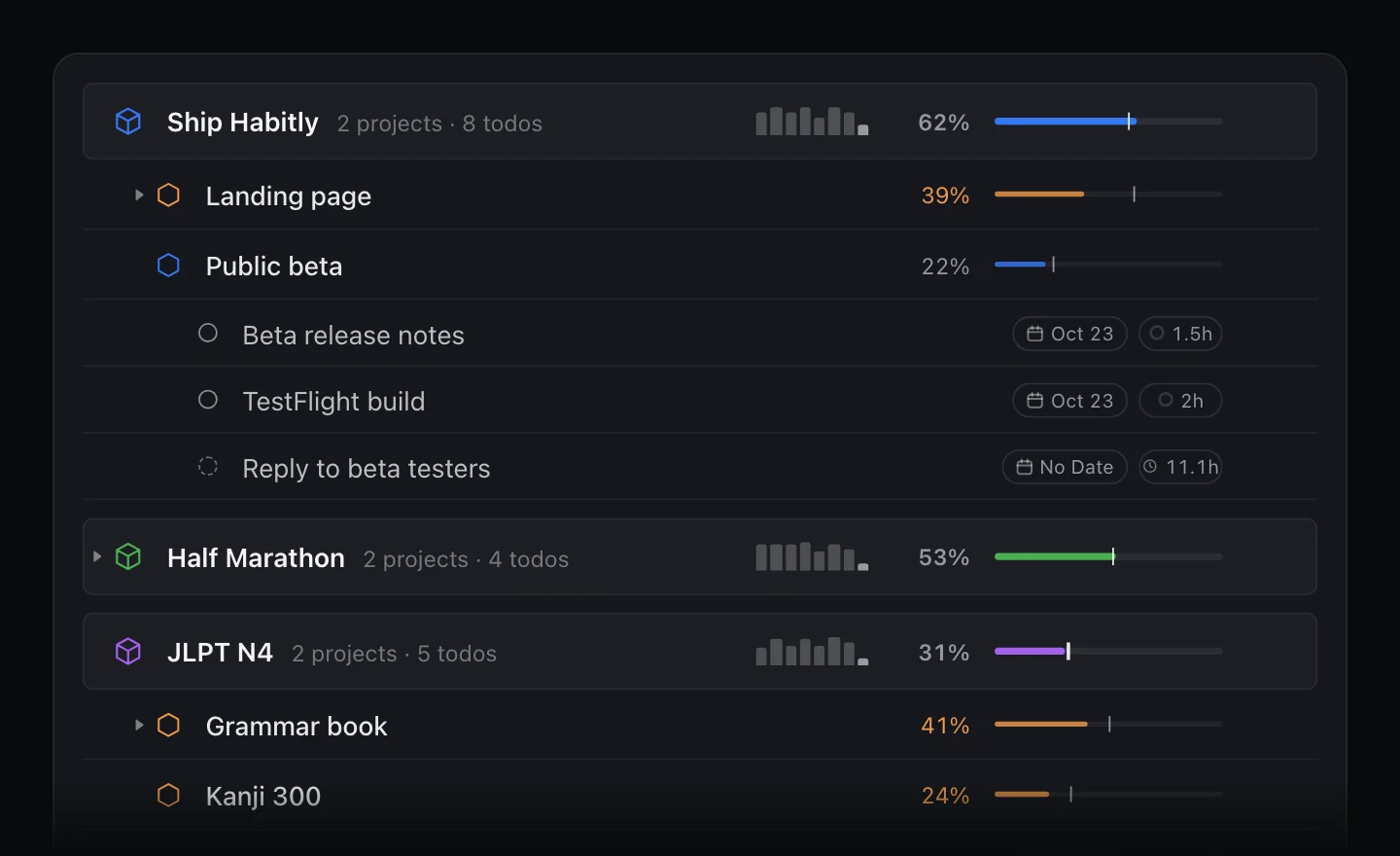
Time counts toward a goal when you log it in the journal under the goal's category, or link an entry to one of its todos. On iPad and Mac, a goal's details show its cumulative hours and when you'd reach the estimate at your pace over the last four weeks.
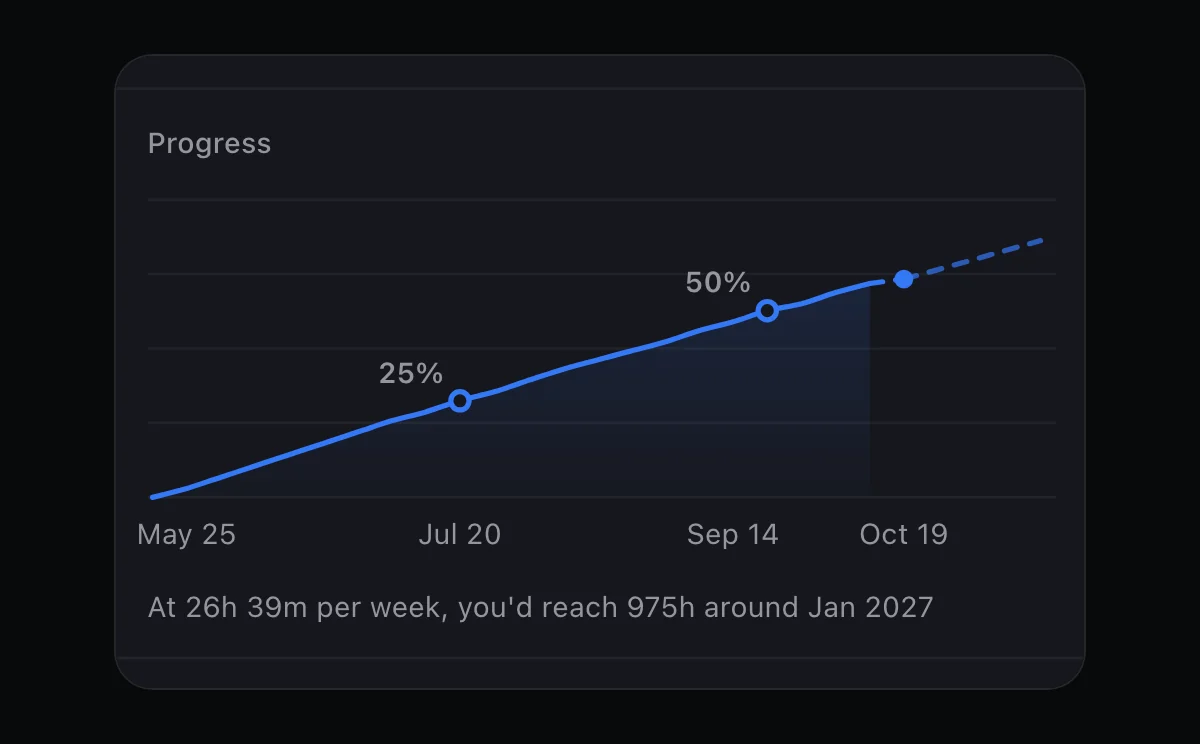
For the weekly planning step, todos without a time wait in Today's Unscheduled tray until you drag them onto the timeline. For a closer look at writing todos you'll actually start, see how to break a big goal into projects and todos.