 FluxTime
6 Tiimo alternatives, with prices from their own pages.
The closest Tiimo alternatives are Structured for the same kind of visual timeline, Llama Life for a countdown timer on every task, Amazing Marvin for a planner you can shape to how you work, and Goblin Tools for free step-by-step task breakdown. If you want a visual day plus a record of where the hours really went, FluxTime plans on a timeline and keeps a journal of the real day, for $39.99 a year on Apple devices and the web.
Written by the FluxTime team/FluxTime is one of the six/Every option gets a drawback, ours too
Pick by what you'd miss most.
Tiimo puts the day on a colour-coded timeline, counts down each task with a visual timer, and has an AI co-planner that breaks tasks into steps and estimates the time. No alternative copies all of it, so start from the part that helps you most.
- 01The same visual timeline, for less or for one payment: Structured
- 02A countdown timer on every task in your list: Llama Life
- 03A planner you can switch features on and off in: Amazing Marvin
- 04Breaking a daunting task into steps, for free: Goblin Tools
- 05A plan, plus a record of where the time really went: FluxTime
- 06Tasks, habits and a focus timer for under $50 a year: TickTick
What each one costs for one person.
Every figure below was read from the vendor's own page on 12 November 2026, for the cheapest paid plan for one person. "Not shown" means the page did not state it.
| App | Free plan | Billed monthly | Billed yearly | Trial |
|---|---|---|---|---|
| Tiimo Pro (for reference) | Yes, iOS and Android only | Not on its site; local price shown at checkout | 7 days, yearly plan only | |
| Structured Pro | Yes | $6.99 / month | $29.99 a year (or $99.99 once) | Not shown |
| Llama Life | No | $6 / month | $39 a year | 7 days, no card |
| Amazing Marvin Pro | No | Not shown | $8 / month ($96 a year) | 14 days, no card |
| Goblin Tools | Yes, the web tools | Pro: $3 / month | Not shown | 1 week |
| FluxTime Flux Pro | Yes | $5.99 / month | $39.99 a year | Free plan instead |
| TickTick Premium | Yes | Not shown | $49.99 a year | Not shown |
Structured, FluxTime and TickTick are in US dollars. Llama Life and Amazing Marvin show "$" without naming the currency, and Llama Life's yearly price was on a 30% sale that ended 11 November 2026, so the table shows the regular $39. Goblin Tools' mobile apps are paid, at a price its site doesn't state. Prices change and vary by country; check the vendor's page before you buy. Sources are under How we checked.
What each one does instead of Tiimo.
Listed from closest to Tiimo's way of working to furthest. Each gets the reason to pick it and one real drawback.
Structured
A visual day planner: tasks and events on one timeline, an inbox for tasks without a time, a Pomodoro focus timer and an Energy Monitor that budgets the day in points.
Pick it if Tiimo's timeline is the part you love and you'd rather pay less, or pay once ($99.99 lifetime).
Drawback: calendar integration, recurring tasks and AI planning all need Pro, and it keeps no record of time actually spent. FluxTime vs Structured →
iPhone, iPad, Mac, Apple Watch, Vision Pro, Android, web
Llama Life
A to-do list where every task gets its own countdown timer, with a visual alarm, brown noise, templates, keyboard shortcuts and a Todoist integration. You work down the list one timed task at a time.
Pick it if Tiimo's focus timer is what keeps you on track, more than the calendar.
Drawback: there's no free plan, only a 7-day trial, and its pages describe a timed list rather than a day laid out on a timeline.
Desktop (browser), iOS, Android
Amazing Marvin
A task and day planner with more than 100 features you turn on as you need them, custom workflows and views, and analytics on how you work.
Pick it if no planner has ever fit you and you want to build your own.
Drawback: no free plan, and choosing from 100+ features takes setup time that Tiimo's ready-made layout doesn't ask for.
Web, Mac, Windows, iOS, Android
Goblin Tools
A set of small AI tools. Magic ToDo breaks a task into steps, Estimator guesses how long something will take, and others rewrite the tone of a message or turn a brain dump into a list.
Pick it if you mainly used Tiimo's AI to turn "clean the flat" into steps, and you'd like that for free.
Drawback: it isn't a planner. There's no calendar, timeline or reminders, so you still need somewhere to put the steps.
Web, iOS, Android
FluxTime
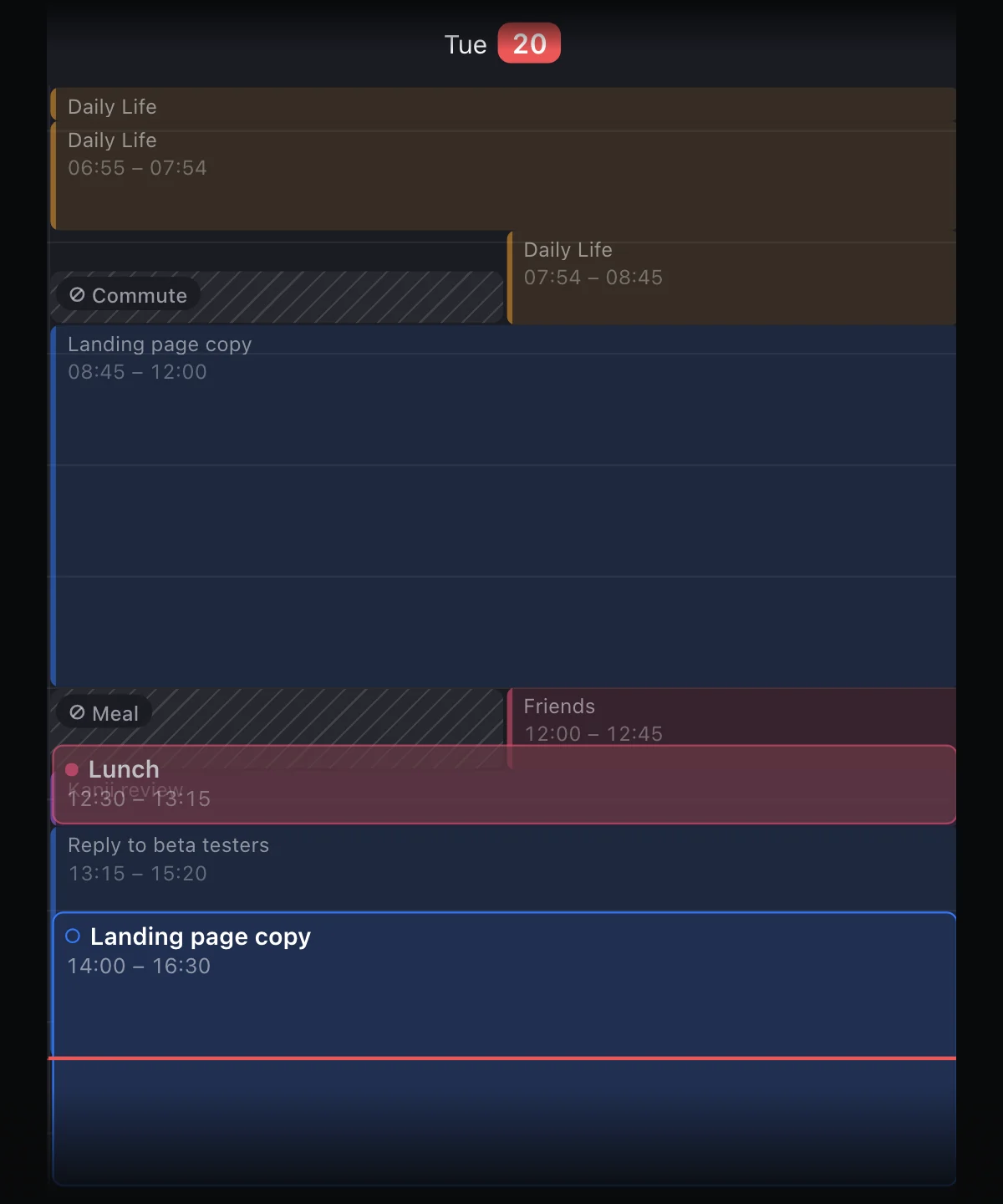
A day timeline of tasks, events and time blocks, plus a journal of what you actually did, kept by writing a line each time you switch. Tiimo shows the plan; FluxTime also shows the real day next to it, turned into hours by category, goal forecasts and an energy curve.
Pick it if your plans keep slipping and you want to see where the time went instead.
Drawback: it isn't designed around ADHD the way Tiimo is, and the journal only works if you build the habit of writing a line at each switch. There's no Android app; Windows works through the web app.
iPhone, iPad, Mac, Apple Watch, web
TickTick
Tasks with calendar, timeline, Kanban and Eisenhower views, a Pomodoro timer, habits and focus statistics, and a daily reminder to plan the day.
Pick it if you want one app for tasks, habits and focus sessions, for under $50 a year.
Drawback: it's a dense, general task app; nothing on its pages is built for neurodivergent planning the way Tiimo is.
iOS and iPadOS, Android, Windows, macOS, Linux, web
When Tiimo is still the right call.
Tiimo is built for neurodivergent brains. It imports Apple, Google and Outlook calendars, keeps the day on widgets, Live Activities and Apple Watch, and its AI co-planner writes step-by-step plans with time estimates. Its free version covers a basic planner and limited AI chats. If those are what get you through the day, switching mostly trades features for price.
- 01The visual countdown is what gets you started
- 02You use the AI to break tasks down most days
- 03Your family shares one subscription, with a profile each
Vendor pages only, dated.
On 12 November 2026 we read each vendor's own pricing, home and help pages and took prices, platforms and features from there, not from other lists. Tiimo doesn't publish a price; its FAQ says the local price is shown at checkout, so we left it out rather than guess. Where a page didn't say something, the table says "not shown". We're FluxTime's makers, so we put FluxTime fifth and gave it a drawback like the rest.
- Tiimo: tiimoapp.com/faq, tiimoapp.com, App Store listing
- Structured: subscription prices from Structured's own plans; features and platforms from its App Store listing and help center, as summarised in our Structured comparison
- Llama Life: llamalife.co/pricing
- Amazing Marvin: amazingmarvin.com/pricing
- Goblin Tools: goblin.tools/About, goblin.tools/Pro
- TickTick: ticktick.com/about/upgrade, ticktick.com/download, ticktick.com/features
- FluxTime: Pricing, Free and Pro
Leaving Tiimo
Is there a free Tiimo alternative?
Yes. Structured, TickTick and FluxTime have free plans, and Goblin Tools' web tools are free with no ads. Tiimo itself has a free version on iOS and Android, with a basic planner, limited AI chats and one profile; its web planner needs Pro. Llama Life and Amazing Marvin offer trials instead.
How much does Tiimo cost?
Tiimo doesn't list a price on its website. Its FAQ says Pro can be paid monthly or yearly, that prices vary by location, and that your local price is shown in the App Store, Google Play or the web checkout. The 7-day trial only applies to the yearly plan; monthly is charged straight away.
Which alternative is closest to Tiimo?
For the visual timeline, Structured. For the timer on each task, Llama Life. For AI that breaks a task into steps, Goblin Tools. None of them combines all three with Tiimo's family profiles.
Can I move my Tiimo plans into FluxTime?
There's no direct importer. Calendar events come across if you connect Apple Calendar in FluxTime, which is part of Flux Pro. Recurring routines are quickest to re-create as todos under a goal or project; the start guide walks through the first day.
Plan tomorrow in FluxTime, and see how it really went.
FluxTime is free to download on iPhone, iPad, Mac and Apple Watch. Run it next to Tiimo for a week and keep the one that helps you more.
Get FluxTime free