 FluxTime
8 Sunsama alternatives, with prices from their own pages.
The closest Sunsama alternatives are Akiflow for a task inbox with time blocking, Motion for AI auto-scheduling, Morgen for calendar-first planning and Routine for a free plan. If you want Sunsama's calm daily plan plus a record of where every hour went, FluxTime plans on a timeline and keeps a journal of the real day, for $39.99 a year on Apple devices and the web.
Written by the FluxTime team/FluxTime is one of the eight/Every option gets a drawback, ours too
Pick by what you'd miss most.
Sunsama does three things well: a guided plan each morning, a daily shutdown, and tasks pulled in from Asana, Jira, Gmail, Slack and the rest. No alternative copies all three, so start from the one that matters to you.
- 01Tasks from many tools in one inbox: Akiflow or Routine
- 02Let AI build and rebuild the schedule: Motion, or Morgen if you want to approve the plan
- 03A free plan that still schedules your day: Routine
- 04A plan, plus a record of where the time really went: FluxTime
- 05A visual timeline you can buy once: Structured
- 06A cheap, simple task list with a calendar view: Todoist or TickTick
What each one costs for one person.
Every figure below was read from the vendor's own pricing page on 12 November 2026, in US dollars, for the cheapest paid plan for one person. "Not shown" means the page did not state it.
| App | Free plan | Billed monthly | Billed yearly | Trial |
|---|---|---|---|---|
| Sunsama (for reference) | No | $22 / month | $17 / month ($204 a year) | 14 days, no card |
| Akiflow Pro | No | $34 / month | $19 / month ($228 a year) | 7 days |
| Motion Pro AI | No | $29 / seat / month | $19 / seat / month ($228 a year) | Yes, length not shown |
| Morgen | No | $30 / month | $15 / month ($180 a year) | 14 days, no card |
| Routine Personal | Yes | $5 / month (billing period not shown) | Not shown | |
| Structured Pro | Yes | $6.99 / month | $29.99 a year (or $99.99 once) | Not shown |
| FluxTime Flux Pro | Yes | $5.99 / month | $39.99 a year | Free plan instead |
| Todoist Pro | Yes | $7 / month | $5 / month ($60 a year) | Not shown |
| TickTick Premium | Yes | Not shown | $49.99 a year | Not shown |
Prices change and vary by country; check the vendor's page before you buy. Sources are listed under How we checked.
What each one does instead of Sunsama.
Listed from closest to Sunsama's way of working to furthest. Each gets the reason to pick it and one real drawback.
Akiflow
A time-blocking planner built around one inbox. Slack messages, Gmail, Notion, Asana, Jira, Linear and more turn into tasks you drag onto Google, Outlook or iCloud calendars, and it can auto-schedule them.
Pick it if Sunsama's integrations are the part you rely on most.
Drawback: the most expensive here when billed monthly ($34), with no free plan. Its site doesn't describe a record of time actually spent.
Mac, Windows, iOS, Android, browser
Morgen
A calendar-first daily planner. Its AI Planner drafts the day from your to-dos, events and projects, you adjust it, and it reminds you of tasks left over from earlier days. Connects Google, Outlook, Apple and CalDAV calendars, plus Notion, Linear, Todoist and ClickUp.
Pick it if you want AI to draft the plan but keep the final say.
Drawback: $30 a month billed monthly, and Gmail and Slack aren't on its integrations page.
Windows, macOS, Linux, iOS, Android, browser
Motion
An AI calendar that prioritizes and time-blocks your tasks for you, with projects on a Gantt chart. Google, Outlook and iCloud calendars sit in one view.
Pick it if you'd rather not place tasks by hand at all.
Drawback: it's priced per seat and leans toward projects and teams; there's no free plan, and its site doesn't describe a guided daily ritual like Sunsama's.
iOS, Android, desktop apps
Routine
Tasks, calendar and notes in one app, with a universal inbox fed by Gmail, Slack, Notion, Asana, Linear and Jira, built-in time tracking, and an MCP connection for AI agents.
Pick it if you want Sunsama's inbox idea without paying.
Drawback: its site doesn't describe a guided morning plan or daily shutdown, which is what many Sunsama users came for.
iPhone, iPad, Apple Watch, Mac, Windows, Linux, Android, web
Structured
A visual day planner: tasks and events on one timeline, an inbox for tasks without a time, a Pomodoro focus timer and an Energy Monitor that budgets the day in points.
Pick it if you want a simple, good-looking timeline, or would rather pay once ($99.99 lifetime) than subscribe.
Drawback: calendar integration, recurring tasks and AI planning all need Pro, and it keeps no record of time actually spent. FluxTime vs Structured →
iPhone, iPad, Mac, Apple Watch, Vision Pro, Android, web
FluxTime
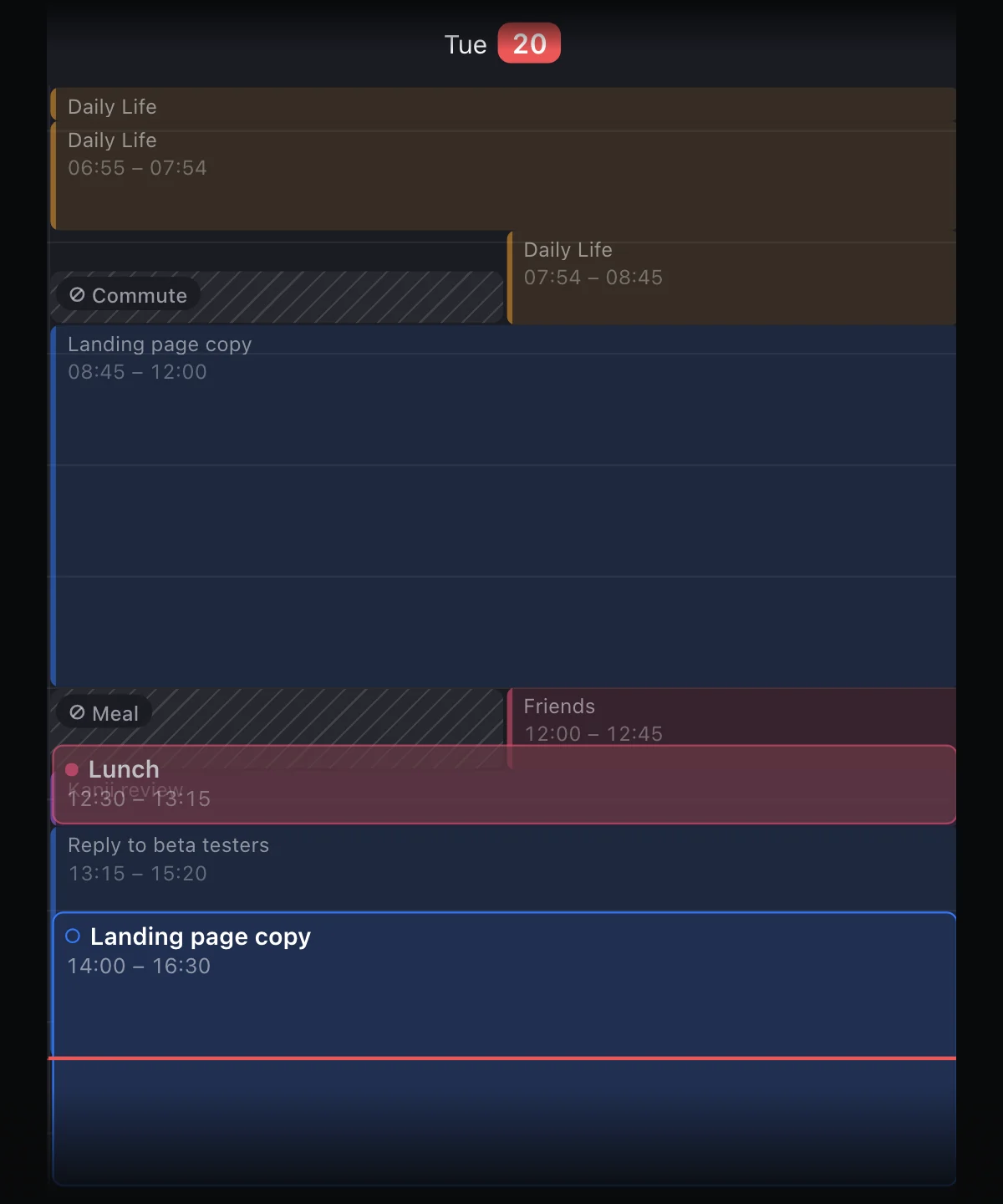
A day timeline of tasks, events and time blocks, plus a journal of what you actually did, kept by writing a line each time you switch. Sunsama tracks time on tasks; FluxTime records the whole day, a run or dinner included, and turns it into hours by category, goal forecasts and an energy curve.
Pick it if you plan on Apple devices and want to see where the week really went.
Drawback: no Gmail, Slack, Asana or Jira integrations, the only calendar it connects is Apple Calendar (with Flux Pro), and there's no Android or Windows app; Windows works through the web app.
iPhone, iPad, Mac, Apple Watch, web
Todoist
A task manager with due dates, recurring tasks, a calendar view of the week and AI task capture from email, Slack, photos or voice. Connects Google and Outlook calendars.
Pick it if you mostly need a reliable list, not a planned day.
Drawback: no built-in time blocking or time tracking; both come from add-ons such as Reclaim.ai and Toggl Track.
iPhone, iPad, Mac, Windows, Linux, Android, Apple Watch, Wear OS
TickTick
Tasks with calendar, timeline, Kanban and Eisenhower views, a Pomodoro timer, habits and focus statistics, and a daily reminder to plan the day.
Pick it if you want a full-featured task app, habits and focus timer included, for under $50 a year.
Drawback: Google Calendar is the only calendar its pages name, and planning the day is a view, not a guided ritual.
iOS and iPadOS, Android, Windows, macOS, Linux, web
When Sunsama is still the right call.
Sunsama syncs with Google, Outlook and Apple calendars, pulls tasks from more tools than most of the list, and walks you through planning and shutting down the day. If you use those rituals daily and the $17 a month is fine, switching mostly saves money, not time.
- 01You plan around a work calendar on Google or Outlook
- 02Your tasks live in Asana, Jira, Linear or Gmail
- 03The morning plan and evening shutdown are why you open it
Vendor pages only, dated.
On 12 November 2026 we read each vendor's own pricing, home and integrations pages and took prices, platforms and features from there, not from other lists. Where a page didn't say something, the table says "not shown" and the text says the site doesn't describe it. We're FluxTime's makers, so we put FluxTime sixth and gave it a drawback like the rest.
- Sunsama: sunsama.com/pricing, sunsama.com
- Akiflow: akiflow.com/pricing, akiflow.com/integrations, akiflow.com/download
- Motion: usemotion.com/pricing, usemotion.com
- Morgen: morgen.so/pricing, morgen.so/integrations
- Routine: routine.co/pricing, routine.co/integrations
- Todoist: todoist.com/pricing, todoist.com/downloads, todoist.com/integrations
- TickTick: ticktick.com/about/upgrade, ticktick.com/download, ticktick.com/features
- Structured: subscription prices from Structured's own plans; features and platforms from its App Store listing and help center, as summarised in our Structured comparison
- FluxTime: Pricing, Free and Pro
Leaving Sunsama
Is there a free Sunsama alternative?
Yes. Routine, Structured, Todoist, TickTick and FluxTime all have free plans. Sunsama, Akiflow, Motion and Morgen don't; they offer trials instead. Of the free plans, Routine is the closest to Sunsama's inbox-and-calendar approach.
What is the cheapest Sunsama alternative?
On a yearly plan, Structured at $29.99 a year, then FluxTime at $39.99, TickTick at $49.99 and Todoist at $60, against $204 for Sunsama billed yearly. Structured also sells a $99.99 lifetime licence. All four are cheaper because they skip Sunsama's long list of work integrations.
Which alternative is closest to Sunsama?
For tasks pulled in from other tools and blocked onto a calendar, Akiflow. For a planned day you then check against what really happened, FluxTime. Neither copies Sunsama's guided shutdown exactly.
Can I import my Sunsama tasks into FluxTime?
There's no direct importer. Calendar events come across if you connect Apple Calendar in FluxTime, which is part of Flux Pro. Ongoing tasks are quickest to re-create as todos under a goal or project; the start guide walks through the first day.
Plan tomorrow in FluxTime, and see how it really went.
FluxTime is free to download on iPhone, iPad, Mac and Apple Watch. Run it next to Sunsama for a week and keep the one that tells you more.
Get FluxTime free